Capture · Record · Stream · Encode · DecodeCapture · Record · Stream · Encode · Decode
Magewell Pro Convert devices work with vMix in both directions. A Pro Convert encoder puts a camera on the network as an NDI® source that vMix adds as an input, and a Pro Convert decoder shows any vMix NDI output on a screen elsewhere in the building. Neither needs extra software: vMix finds the encoder on the network, and the decoder finds vMix.
NDI (Network Device Interface) carries real-time, low-delay video, audio and data over an ordinary IP network. That lets you place cameras and screens wherever there is a network socket, without running long video cables back to the production computer.
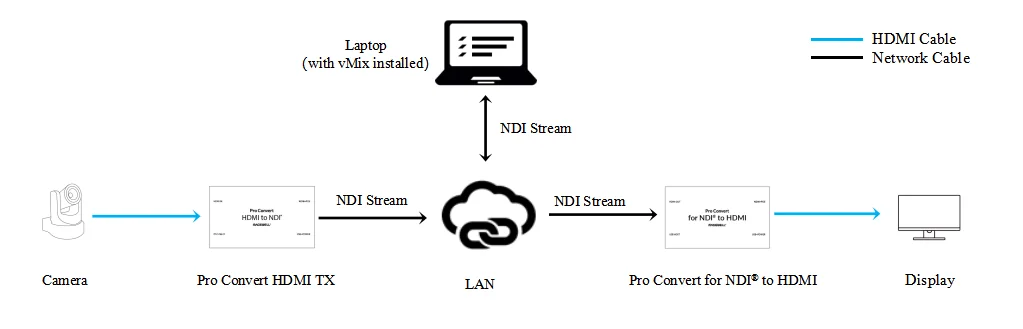
NDI is supported by software such as vMix and OBS, and by hardware that links NDI networks to conventional HDMI and SDI equipment. This article shows two set-ups: a Pro Convert encoder as a source for vMix, and a Pro Convert decoder receiving and displaying an NDI stream sent by vMix. For this example you need:
The diagram below shows how the devices are connected.
Solution 1: Magewell encoder sending an NDI stream to vMix
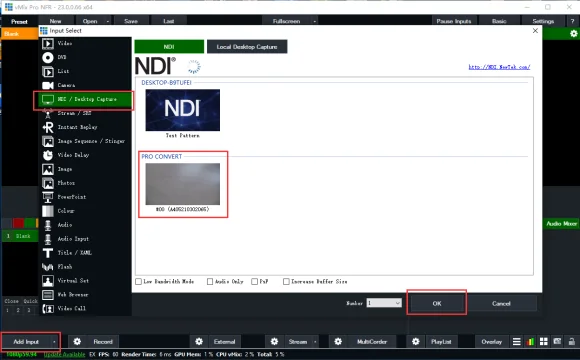
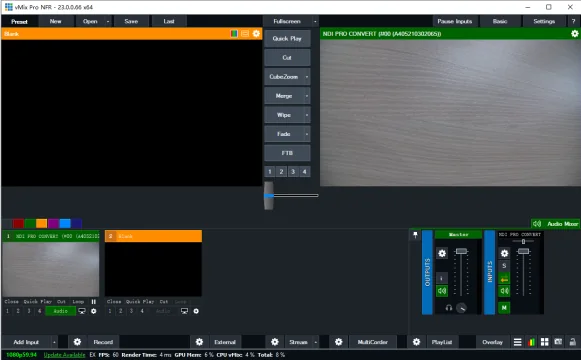
In vMix, click "Add Input" in the lower left corner. In the "Input Select" window that opens, choose "NDI / Desktop Capture" in the left-hand menu (named "NDI / OMT / Desktop Capture" in vMix 29). vMix lists the NDI streams available on the network. Select the stream sent by the Magewell encoder and click "OK". The camera is now a vMix input that you can switch, mix and record like any other.
Solution 2: Magewell decoder receiving an NDI stream from vMix
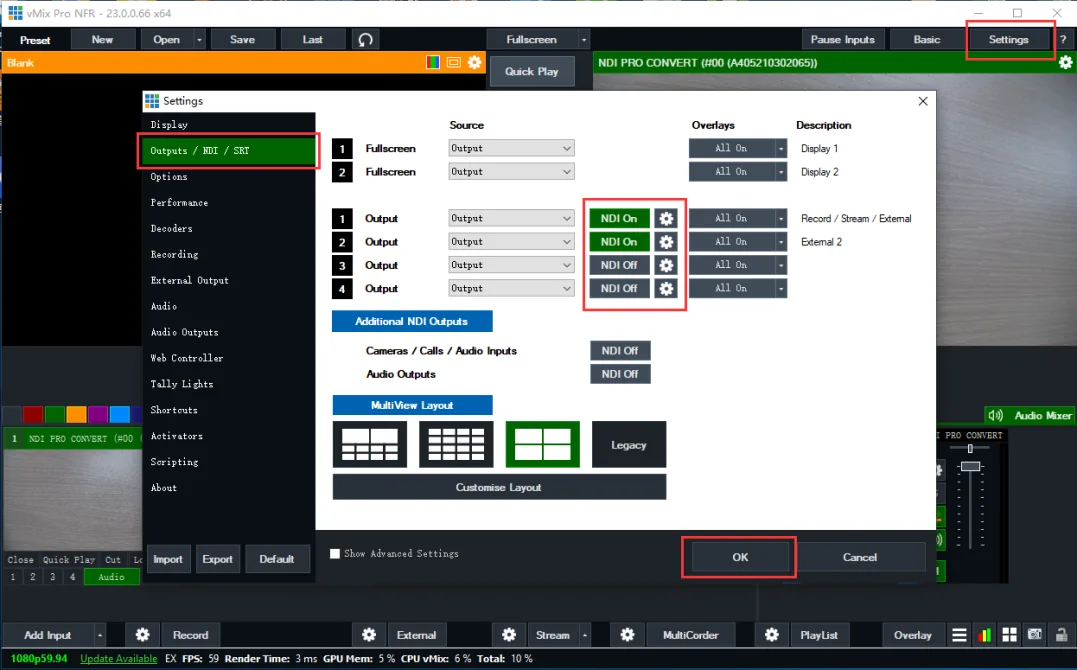
1. In vMix, click "Settings" in the upper right corner, then choose "Outputs / NDI / SRT" in the left-hand menu (named "Outputs / NDI / OMT / SRT" in vMix 29). There are four vMix outputs. Beside each one, switch NDI on or off for that output, as shown in the figure below. Output 1 carries the programme. For outputs 2 to 4, use the drop-down list to choose what is sent: the output, the preview, the MultiView or one particular input.
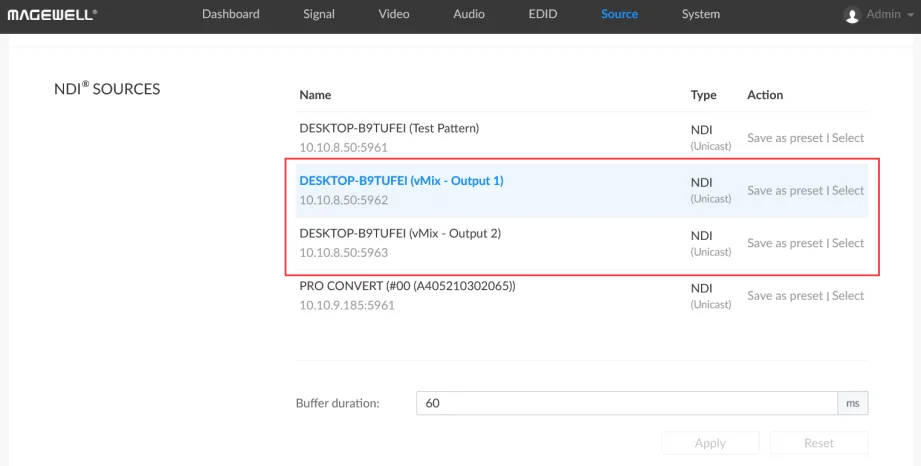
2. Log in to the Web UI of the Pro Convert decoder from a browser and click the "Source" tab. The "NDI® SOURCES" section lists the NDI streams available on the network. Select the stream sent by vMix, and the decoder shows it on the monitor connected to its HDMI output. This is a simple way to feed a confidence monitor, a foyer screen or a projector from the vMix computer over the network.
ForeFront Imaging is the authorised UK distributor for Magewell. We stock the full range and can help you choose the right Pro Convert encoder and decoder for your vMix system.
Browse Products Talk to UsNo marketing noise. Just new product launches, firmware updates, and the occasional guide.
No spam. Unsubscribe any time. Your email is never shared.
Enjoying your visit? Quick rating of your browsing experience so far:
Anything specific? (optional)