Efficiently Sending an NDI® Stream to Multiple Decoders via Multicast with Magewell Pro Convert Encoders
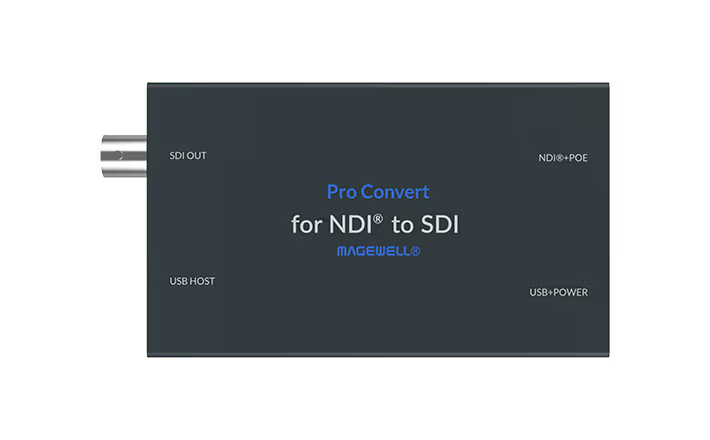
NDI ® (Network Device Interface) is one of the most popular media over-IP technologies, and can be used to transport high-quality video, audio, and metadata over a LAN with very low latency. It enables users to leverage their existing Gigabit network infrastructure to build flexible, cost-effective AV-over-IP workflows.
Versions 4.0 and higher of the NDI ® SDK support both high-bandwidth NDI ® and high-efficiency, low-bandwidth NDI ® |HX. High-bandwidth NDI ® uses compression that is nearly visually lossless, but the resulting streams require greater network bandwidth. One 1080p60 NDI ® stream typically requires over 100Mbps of bandwidth, while a 4Kp60 NDI ® stream requires about 200Mbps. This can make reliably transporting multiple high-bandwidth NDI ® streams – or one high-bandwidth NDI ® stream to multiple destination devices – challenging on a Gigabit network.
If a unicast transmission method is used to send one NDI ® stream to multiple destinations, the total bandwidth required will be approximately the bandwidth of the stream multiplied by the number of target endpoints. For example, sending the stream to two decoders would require roughly double the amount of bandwidth as sending it to a single decoder.
Using a multicast transmission mode is far more bandwidth-efficient, as the total bandwidth required stays essentially the same regardless of the number of decoders. This article explains how to uses the UDP (Multicast) transport mode in Magewell Pro Convert encoders to send a high-bandwidth NDI ® stream to multiple decoders.
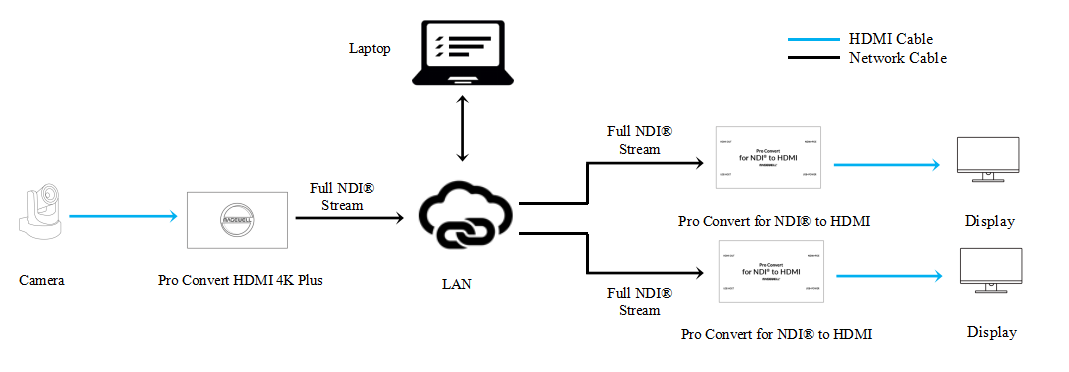
- One Magewell Pro Convert encoder ( Pro Convert HDMI 4K Plus is used in this example)
- Two Magewell Pro Convert decoders ( Pro Convert for NDI ® to HDMI is used in this example)
- One PTZ camera (as a source for the Pro Convert encoder, a 1080p60 camera is used in this example)
- One laptop (for configuring the Pro Convert devices), two displays, and several HDMI cables and network cables.
- Note that your network switch or router must support multicast.
Workflow Overview
Our content flow is outlined in the device connection diagram below.
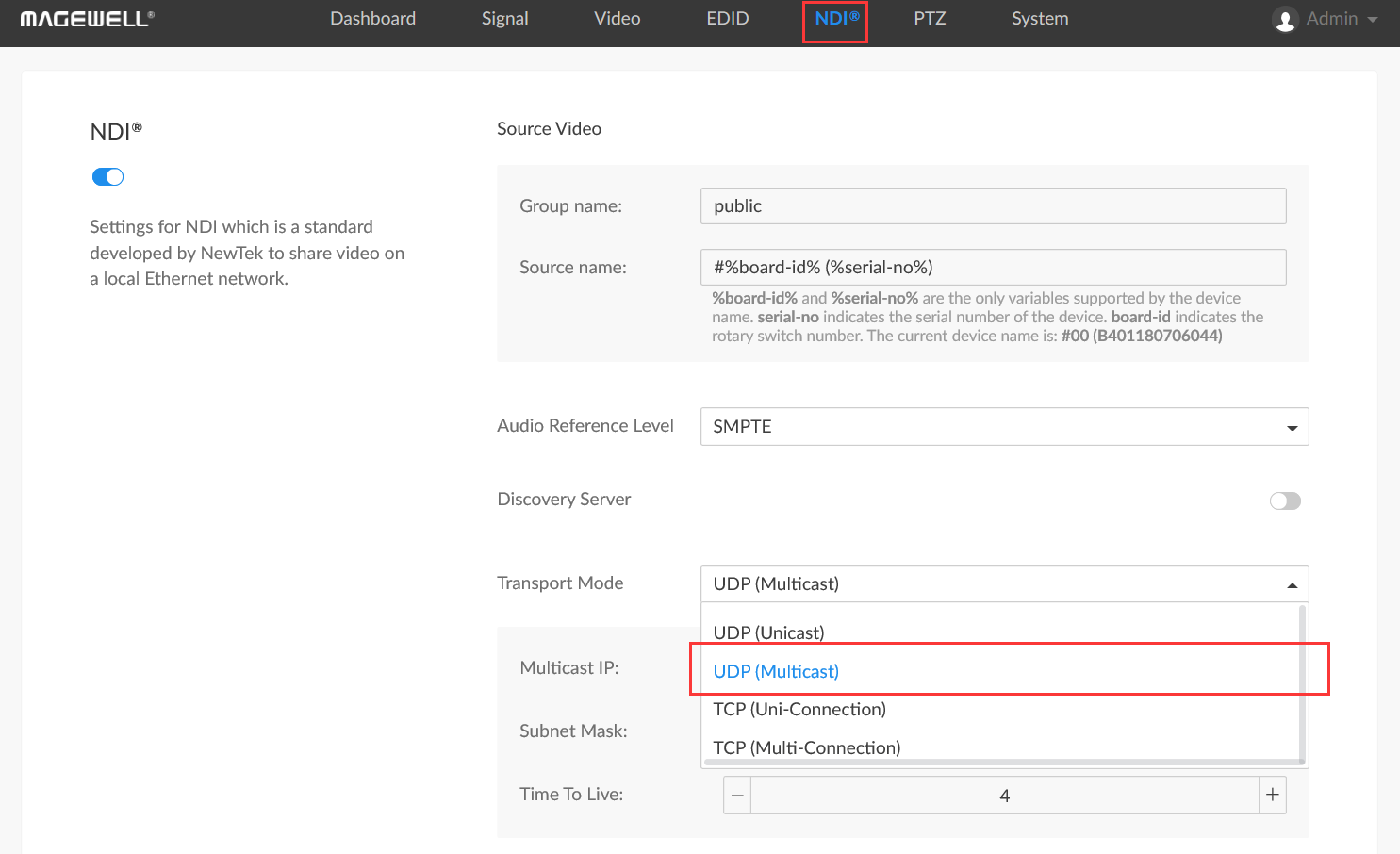
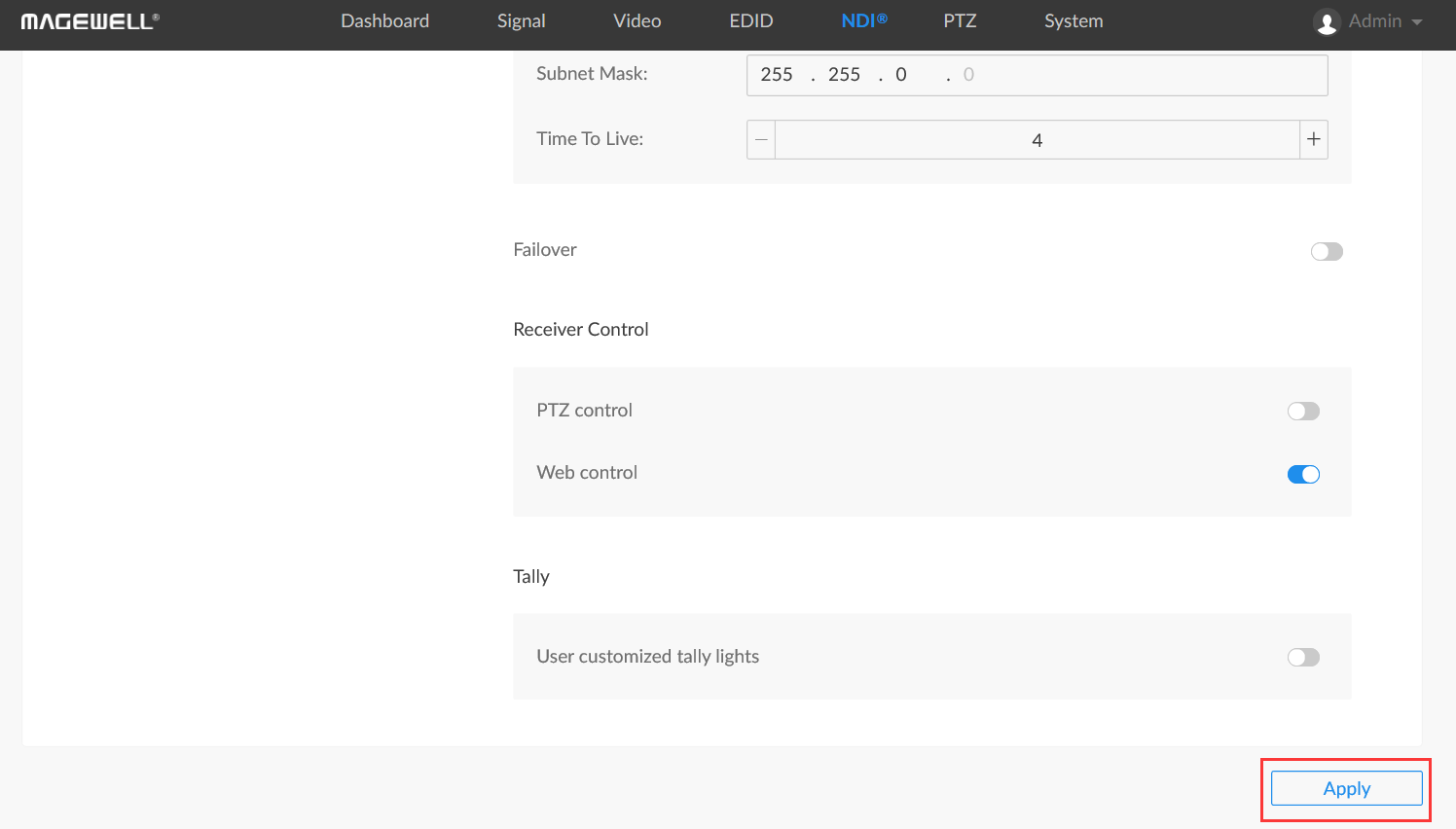
1. Log into the Web GUI of the encoder and go to the NDI ® tab. In the Transport Mode field, select “UDP (Multicast)” from the drop-down menu.
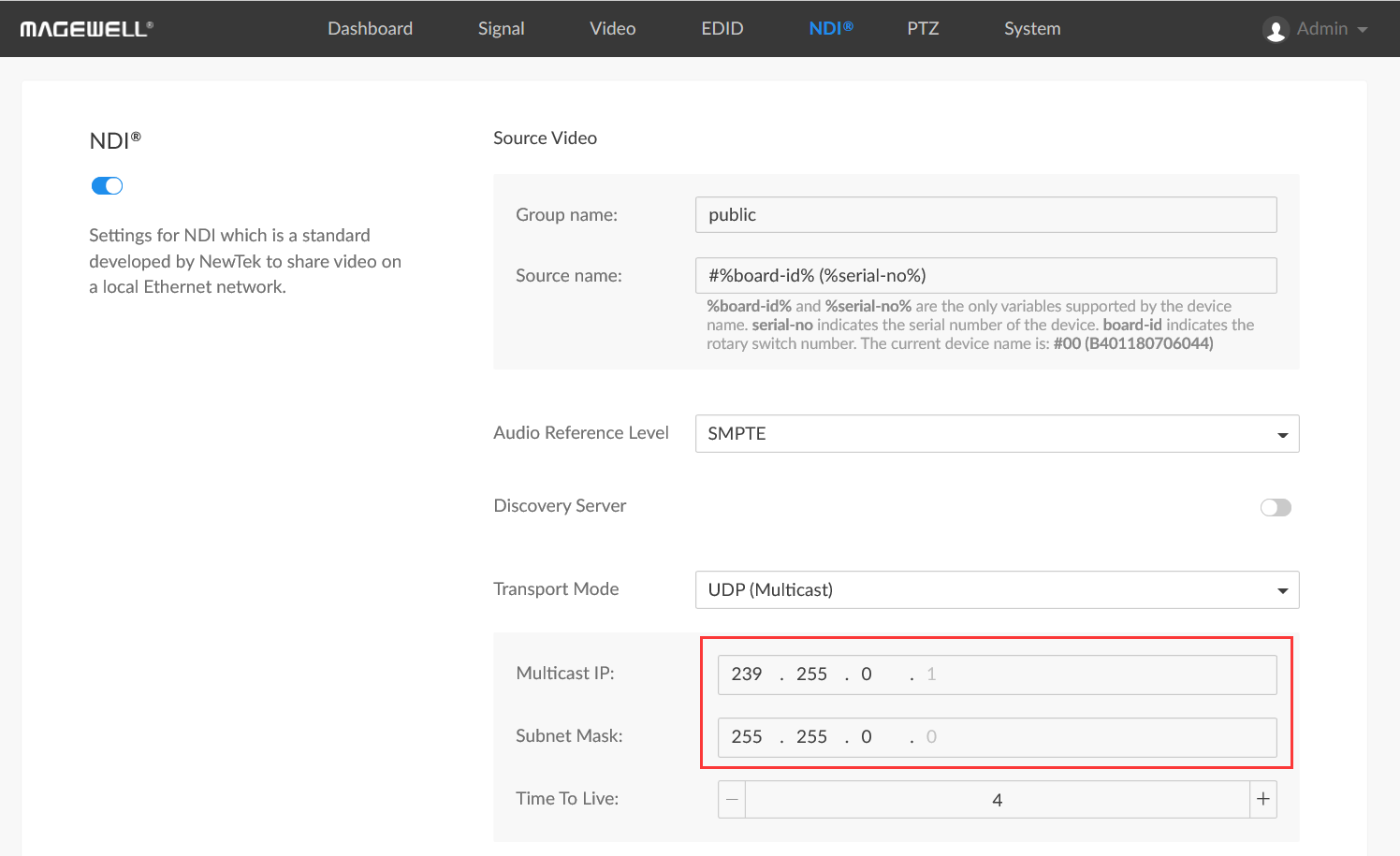
2. Fill in the Multicast IP address first (239.255.0.1 in the example below). The Multicast IP must be in the range of 224.0.0.1 to 239.255.255.1, and the last digit is fixed as 1. Next, fill in the Subnet Mask (255.255.0.0 in our example); the last digit is fixed as 0.
3. Scroll down to the end of the page and click "Apply".
4. Log into the Web GUI of one Pro Convert decoder and click the "Source" tab. In the "NDI ® SOURCES" section, the NDI ® (Multicast) stream sent by the encoder will be displayed. Click “Select” next to this stream to begin decoding it.
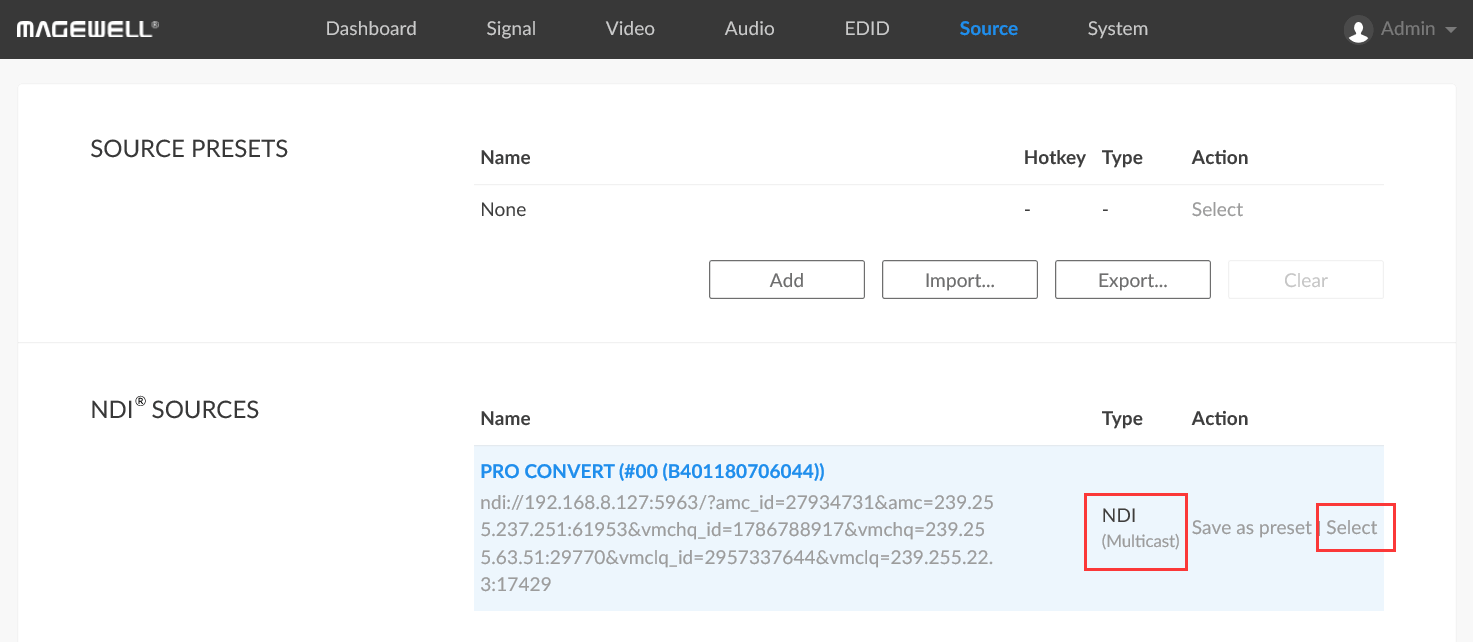
5. Repeat step 4 to begin decoding the NDI ® (Multicast) stream on another Pro Convert decoder.
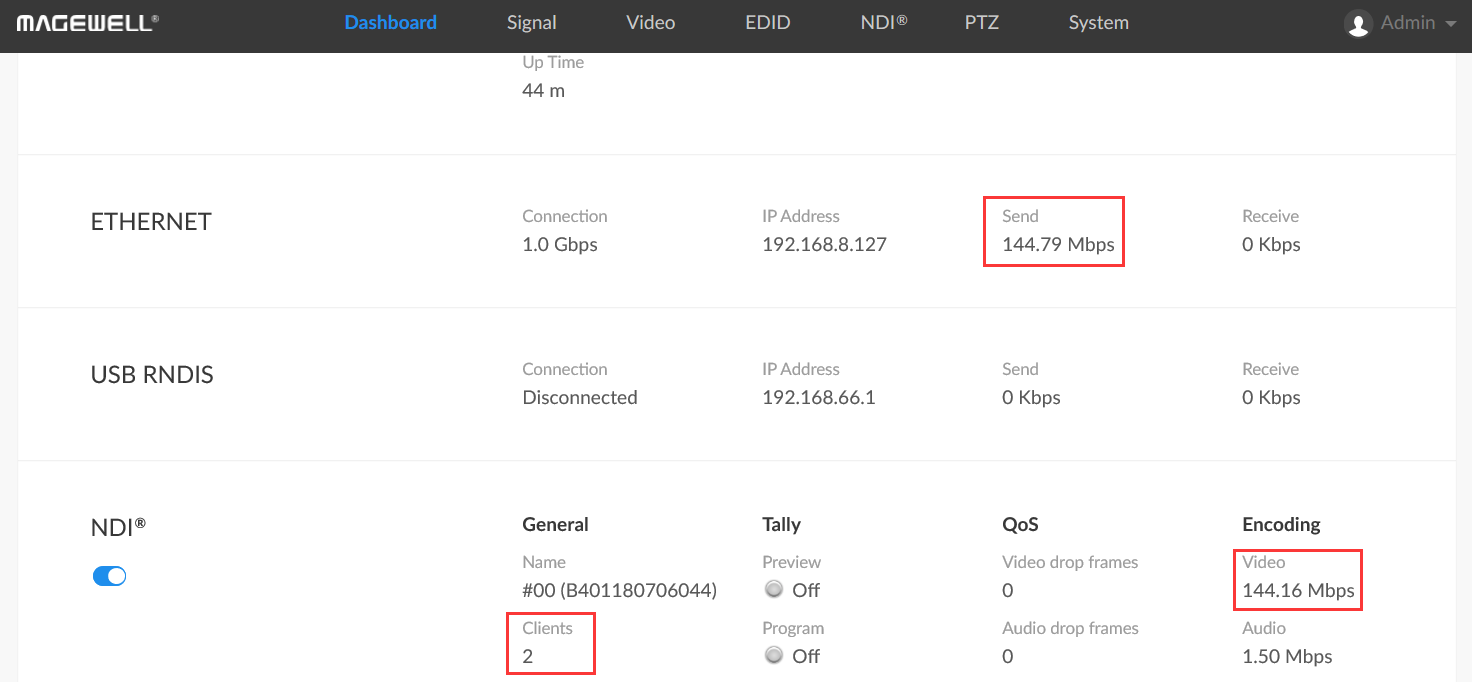
6. Return to the encoder's Web GUI and enter the "Dashboard" tab. You can see in our example that the current sending bandwidth is 144.79Mbps, which is the bandwidth occupied by a single-channel 1080p60 high-bandwidth NDI ® stream.
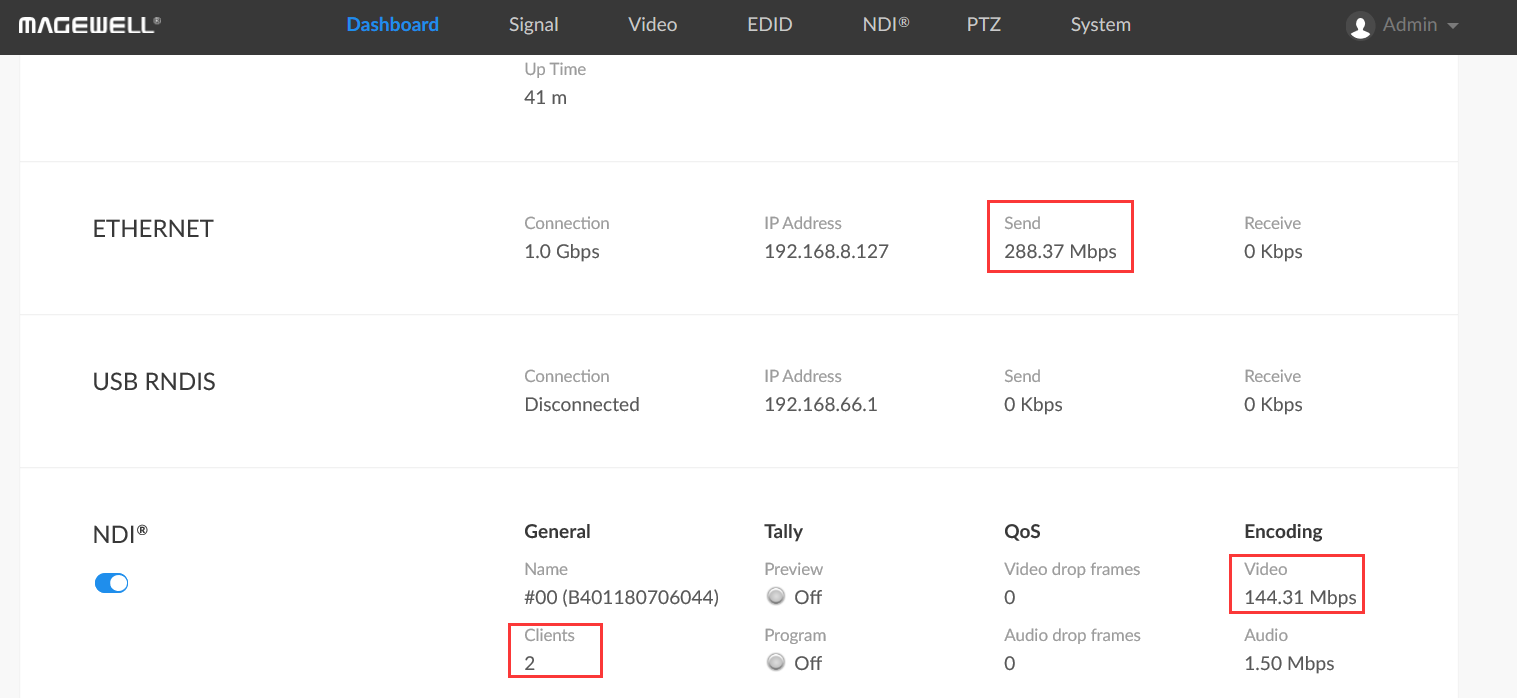
7. If the encoder’s transport mode is instead set to UDP (Unicast), TCP (Uni-Connection), or TCP (Multi-Connection), the encoder will send the same NDI ® stream in unicast mode, and the sending bandwidth will increase as the number of decoders increases. In the below example, the sending bandwidth has roughly doubled to 288.37Mbps.
ForeFront Imaging is the authorised UK distributor for Magewell. We stock the full range and can help you spec the right solution.
Browse Products Talk to Us