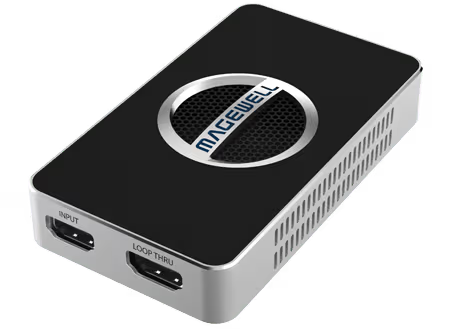
EDID (Extended Display Identification Data) is the protocol by which a display tells a connected source what resolutions and refresh rates it supports. In a capture scenario, the Magewell device acts as a display — it presents an EDID to the source device to negotiate the signal format.
If the source reads the Magewell EDID and outputs a format the capture software cannot handle, you may get no signal, a black screen, or wrong resolution. Customising the EDID tells the source exactly what to output.
The free Magewell USB Capture Utility (available from magewell.com/downloads) shows the current EDID being presented by the device and allows custom EDID upload. Open the Utility, select your device, and navigate to the EDID section.
Source outputs 4K but you want 1080p: Upload a custom EDID that only lists 1920x1080. The source will downscale before sending to the capture device.
Computer outputs wrong refresh rate: Customise the EDID to include only your desired refresh rates.
Game console outputs 1080i instead of 1080p: Adjust the EDID to exclude interlaced resolutions and the console will output progressive.
No marketing noise. Just new product launches, firmware updates, and the occasional guide.
No spam. Unsubscribe any time. Your email is never shared.
EDID (Extended Display Identification Data) is how a display tells a source device what resolutions and formats it supports. Capture cards present an EDID to the source. If the source outputs a resolution your capture card doesn't support, you'll get no signal. Magewell devices allow you to customise EDID to force a specific output from your source.
Magewell's Control Center software (free download) allows you to set a custom EDID on Pro Capture and USB Capture cards. Select the device, choose EDID settings, and either pick a preset or load a custom EDID file.
This is an EDID issue. The source is reading the capture card's EDID and choosing a resolution you don't want. Use Magewell Control Center to set an EDID that advertises only your desired resolution, and the source should switch to it on reconnection.
EDID (Extended Display Identification Data) is the information a display sends to a source to tell it what resolutions and frame rates it supports. A capture card must present valid EDID so the source outputs at the correct resolution. Without correct EDID, sources may output at an unexpected resolution or fail to output at all.
EDID is changed via the Magewell Capture Utility software on Windows, or through the MWCapture SDK. The Capture Utility allows you to select from preset EDID profiles (1080p60, 4K30, 4K60) or load a custom EDID file. On Pro Convert and Ultra Encode devices, EDID is set through the device Web UI under Input settings.
This is almost always an EDID issue. Use the Magewell Capture Utility to set a specific EDID profile that only advertises the resolution you want — for example a 1080p60-only EDID if you want 1080p60 output. The source will then have no choice but to output at that resolution.
Yes. USB Capture HDMI 4K Pro and Pro Capture HDMI 4K Plus cards support 4K60 EDID. You can also restrict to 4K30 EDID if your capture pipeline cannot handle 4K60 throughput.