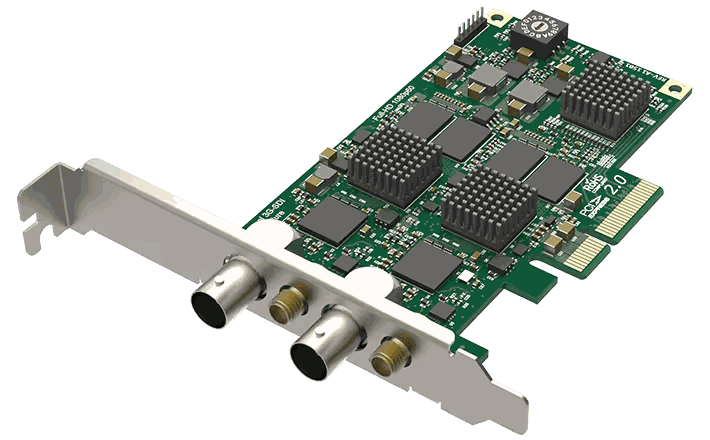
Magewell Pro Capture Linux drivers support Linux kernel versions 2.6.35 and later. The current driver builds against modern kernels including the 5.x and 6.x series found in current Ubuntu, Debian and Red Hat releases.
Ubuntu 22.04 LTS, 24.04 LTS, Debian 12, RHEL 8 and 9, and CentOS Stream are all known-good. Compile from source where prebuilt packages are not available for your specific distribution; the build process uses standard kernel headers and DKMS for automatic rebuild on kernel updates.
Driver support extends to NVIDIA Jetson Xavier and Jetson TX2 platforms, with the Xavier sharing the same driver as TX2. ARM builds are available for compatible embedded boards.
Pro Capture cards also work out-of-the-box via the V4L2 driver included in the mainline kernel for many basic operations. Install the proprietary Magewell driver only when you need full-featured access — advanced colour controls, custom EDID, multi-channel sync, or SDK integration.
No marketing noise. Just new product launches, firmware updates, and the occasional guide.
No spam. Unsubscribe any time. Your email is never shared.
Magewell USB Capture devices work as standard UVC devices on Linux kernel 2.6.35 and above, requiring no custom driver for basic capture. For Magewell's advanced features and the MWCapture SDK on Linux, a kernel of 4.4 or later is recommended.
Yes. Magewell provides a Linux driver for Pro Capture cards supporting kernels 3.10 and above. The driver is available from Magewell's website. V4L2 compatible applications including OBS and GStreamer are supported.
Yes. Both Ubuntu LTS releases and Debian stable are well-supported. Download the appropriate driver package from Magewell's Software page. The USB Capture range requires no driver on Ubuntu as UVC support is built into the kernel.
Magewell officially supports Ubuntu 18.04 LTS and later, CentOS 7/8, and RHEL 7/8 for Pro Capture and Eco Capture cards. USB Capture Gen 2 devices work driver-free via UVC on any Linux with kernel 2.6.38+.
Yes. USB Capture Gen 2 and Plus devices are UVC-compliant and work with the built-in kernel UVC driver. They appear as standard V4L2 devices compatible with OBS, ffmpeg, and GStreamer. For firmware updates and EDID control, install the Magewell Capture Utility.
Download the Pro Capture Linux driver from forefrontimaging.com/software.php. Extract and run sudo ./install.sh. The driver compiles against your running kernel — ensure linux-headers are installed first with sudo apt install linux-headers-$(uname -r). Reboot after installation.
Yes. Once the driver is installed, the capture device is accessible via V4L2 and works with ffmpeg using -f v4l2 -i /dev/video0. The MWCapture SDK also provides a direct ffmpeg plugin for advanced features including multi-channel audio.