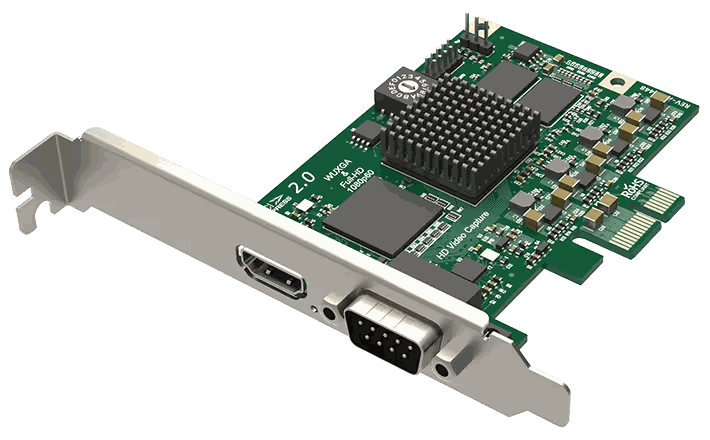
Not directly, but yes with a Thunderbolt enclosure. A laptop has no internal PCIe slot you can fit a card into. To run a Pro Capture card from a laptop you need a Thunderbolt PCIe expansion enclosure that converts the PCIe interface into a Thunderbolt connection.
The Sonnet Echo Express family (SE II, SE III, etc.) and the Akitio Node Pro work well with Magewell Pro Capture cards. Pick an enclosure with enough lanes for your card — an x4 card needs an x4 (or wider) enclosure to run at full bandwidth. Avoid the cheaper x1 enclosures for capture cards.
For laptop capture, the USB Capture HDMI Gen 2 or USB Capture HDMI 4K Pro are designed for exactly this use case. Connect via USB 3.0, no enclosure, no Thunderbolt requirement, same FPGA processing. For most laptop workflows the USB range is the right answer.
If you specifically need multi-channel capture (dual or quad-channel cards) on a laptop, the Thunderbolt enclosure route gives you channel density that USB cannot match.
No marketing noise. Just new product launches, firmware updates, and the occasional guide.
No spam. Unsubscribe any time. Your email is never shared.
Pro Capture cards require a PCIe x1 or larger slot. Most laptops do not have internal PCIe expansion slots. However, a Thunderbolt or USB4 to PCIe expansion enclosure (eGPU enclosure) may work — contact us to discuss your specific laptop and use case.
For laptops, the USB Capture range is the natural choice — bus-powered, no PCIe slot required, and driver-free on most platforms. The USB Capture HDMI 4K Plus or SDI 4K Plus covers most professional capture needs on a laptop.
Yes. Magewell USB Capture devices are UVC-compliant and work natively on macOS. Connect via USB-C (with a USB-A to USB-C adapter if needed) or USB-C directly on models with USB-C connectivity. No driver installation is required on macOS.
Standard Pro Capture PCIe cards require a desktop PCIe slot and cannot be used in a laptop directly. Options include: Thunderbolt-to-PCIe expansion chassis for Thunderbolt 3/4 Macs and PCs, or Magewell USB Capture devices which are the native laptop solution via USB 3.0.
The Magewell USB Capture range is purpose-built for laptops. USB Capture HDMI Gen 2 for 1080p60, USB Capture HDMI Plus for loop-through and audio monitoring, or USB Capture HDMI 4K Pro for 4K. All are bus-powered, driver-free on Mac/Linux, and connect via a single USB 3.0 cable.
In principle yes — Pro Capture cards work in any PCIe slot including Thunderbolt PCIe enclosures. Compatibility varies by enclosure and host. Tested enclosures include certain Sonnet and OWC models. Thunderbolt bandwidth is shared but is generally sufficient for single-channel 1080p capture.
Connect the other laptop's HDMI output to a Magewell USB Capture HDMI device connected to your PC. For capturing your own laptop's screen, use software screen capture in OBS — a capture card cannot capture its own host machine's display in a loop.