Authorised UK Magewell Distributor
🎓 Education  |  📡 Broadcast  |  🏥 Healthcare  |  ⛪ Houses of Worship  |  🏛️ Government
In Stock  ·  Same-day despatch  ·  UK-based support
ResourcesSoftwareBlog & ArticlesCase StudiesKnowledge BaseLiterature✍️ Submit a Case Study
← Back to Knowledge Base
📄 USB Capture FAQs

4K Video Recording with USB Capture HDMI 4K Plus
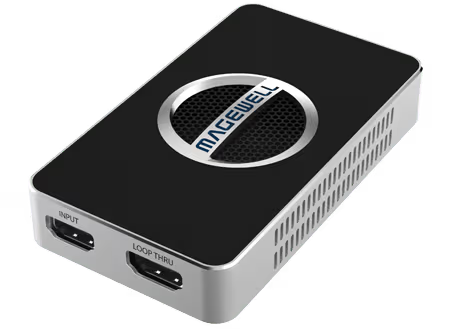
Magewell 4K Video Recording with USB Capture HDMI 4K Plus — hdmi 4k plus

Supported Software

4K recording at 60fps with the USB Capture HDMI 4K Plus or HDMI 4K Pro is supported by Magewell Capture Express, vMix, OBS Studio, XSplit Broadcaster, Wirecast and Adobe Premiere Pro. Most professional broadcast and editing applications work.

USB Bandwidth Limitations

USB 3.0 provides around 5 Gbit/s of usable bandwidth. Uncompressed 4K60 RGB is over 12 Gbit/s — far beyond what USB can carry. The device uses NV12 (4:2:0 chroma subsampling) which fits within USB 3.0 bandwidth at 4K60 with headroom to spare.

Frame Rate Trade-Offs

Some applications request RGB or YUY2 colour formats; in those formats USB Capture HDMI 4K Plus is limited to 30fps at 4K resolution because of bandwidth, not because of any device limitation. If your application allows it, select NV12 or I420 to get full 60fps capture.

Storage

Recording 4K60 at reasonable quality consumes 50-200 Mbit/s depending on codec choice. A one-hour 4K60 H.264 recording at 100 Mbps is 45 GB. NVMe SSDs are strongly recommended for both performance and reliability over the long writes that broadcast or lecture capture produces.

Still need help?
Our UK-based technical team are available Monday to Friday 9am–5pm.
Contact Support+44 (0)116 277 5730

Related Guides

Stay Updated

New products and Magewell updates

No marketing noise. Just new product launches, firmware updates, and the occasional guide.

No spam. Unsubscribe any time. Your email is never shared.

Frequently Asked Questions

The USB Capture HDMI 4K Plus, SDI 4K Plus, HDMI 4K Pro and SDI 4K Pro all support 4K capture (3840x2160). The standard Gen 2 range captures up to 1080p60. Use our comparison tool to find the right 4K model for your budget.

4K recording is demanding — recommend at minimum an 8-core CPU (Intel 10th gen or AMD Ryzen 5000+), 16GB RAM, and a fast NVMe SSD for recording storage. USB 3.0 or 3.1 Gen 1 is required (USB 2.0 is insufficient for 4K).

Magewell USB Capture devices output uncompressed or lightly compressed video to your capture software, which then handles encoding. The output format (H.264, H.265, ProRes etc.) depends on your software — OBS, vMix, Wirecast and others all support Magewell as a source.

Up to 3840×2160 at 60fps, and up to 4096×2160 at 30fps. Requires a USB 3.1 Gen 1 or better port — USB 2.0 cannot handle 4K data rates.

Yes. The USB Capture HDMI 4K Pro has a dedicated HDMI loop-through output passing the source signal to a display with zero added latency, independent of the capture process.

Yes. On macOS 10.13 and later it works as a UVC device (driver-free) via AVFoundation. Compatible with Final Cut Pro X, OBS, Zoom, and all macOS video applications.

At 4K60 in H.265 at 50–100Mbps in OBS, expect approximately 375–750MB per minute. Use a fast NVMe SSD for 4K recording to avoid dropped frames.