Authorised UK Magewell Distributor
🎓 Education  |  📡 Broadcast  |  🏥 Healthcare  |  ⛪ Houses of Worship  |  🏛️ Government
In Stock  ·  Same-day despatch  ·  UK-based support
ResourcesSoftwareBlog & ArticlesCase StudiesKnowledge BaseLiterature✍️ Submit a Case Study
← Back to Knowledge Base
📄 USB Capture FAQs

USB Capture Latency: What to Expect
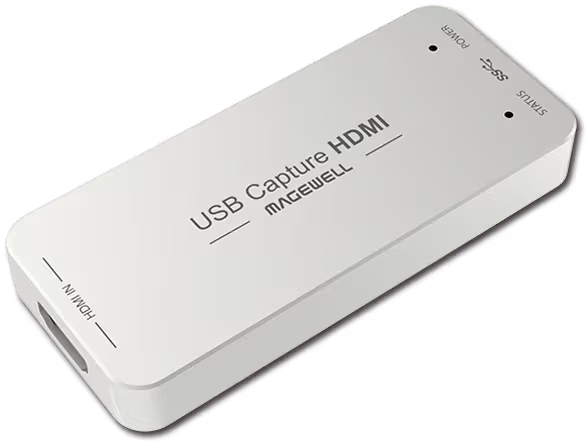
Magewell USB Capture Latency: What to Expect — hdmi gen2

End-to-End Latency

Magewell USB Capture devices add sub-millisecond hardware latency through the FPGA processing path. Real-world end-to-end latency measured at the host depends mostly on the receiving software and buffering, not the capture device itself.

Typical Numbers

In OBS Studio with default buffering, end-to-end latency from HDMI input to OBS preview is typically 33-67 ms (1-2 frames at 60fps). In Zoom or Teams, total round-trip latency including network and encoding is in the 100-200 ms range, dominated by network factors rather than capture hardware.

Reducing Latency Further

Use NV12 or I420 colour format rather than RGB to halve bandwidth and processing load. In OBS, set the Video Capture Device buffering mode to Disable in advanced source settings — this drops a frame of buffering at the cost of slightly higher CPU variability. For absolute minimum latency, use the Magewell SDK directly via DirectShow or V4L2 without an intermediate application.

USB Bandwidth and Frame Drops

Latency rises sharply if the USB controller is saturated. Each USB 3.0 controller on the host typically supports one 4K capture device. Plugging multiple USB Capture devices into the same physical controller (even via different ports) causes contention. Check Device Manager → Universal Serial Bus controllers to identify which ports share controllers.

Still need help?
Our UK-based technical team are available Monday to Friday 9am–5pm.
Contact Support+44 (0)116 277 5730

Related Guides

Stay Updated

New products and Magewell updates

No marketing noise. Just new product launches, firmware updates, and the occasional guide.

No spam. Unsubscribe any time. Your email is never shared.

Frequently Asked Questions

The Magewell USB Capture range is a low-latency design — typical glass-to-glass latency through the capture pipeline is under 100ms depending on your software and system. It is not zero-latency passthrough; for live monitoring of a source, use the loop-through output if available on your specific model.

Yes, but be aware of the capture latency. Use the loop-through output (on models that have it) to feed your display directly from the source for zero-latency gaming. Capture the delayed signal for recording. Do not play games via the capture preview in OBS as the delay will affect your reaction time.

Set your capture software to use the lowest buffer settings available, ensure your USB cable and port are USB 3.0 or higher, close other USB-intensive devices, and make sure your PC meets the recommended spec for your chosen resolution and frame rate.

Magewell USB Capture devices deliver video with typically 1–2 frames of hardware capture latency (16–33ms at 60fps). Total latency including software buffering is typically 50–150ms end-to-end — suitable for streaming and broadcast monitoring.

Use the HDMI loop-through output for local monitoring (zero latency) rather than the software preview. In OBS, reduce the Output Buffer under Advanced settings and use hardware encoding. For real-time monitoring, always use loop-through.

Magewell USB Capture is designed for broadcast and streaming, not gaming latency. The 50–150ms software latency is too high to use the preview as a gaming display. Always use the HDMI loop-through to a display for gaming and the capture feed for streaming only.

USB 3.0 and USB 3.1 Gen 1 are the same specification (5Gbps). The USB standard does not significantly affect capture latency — latency is dominated by the software buffer, not the USB transport. Using a dedicated USB controller gives the most consistent performance.