Capture · Record · Stream · Encode · DecodeCapture · Record · Stream · Encode · Decode
To stream mobile gameplay without slowing the phone down, send the phone's picture over HDMI to a capture device on a separate computer and stream from there with OBS Studio. Streaming directly from the phone makes it run the game and the live stream at the same time. That can make the game or the stream stutter, which spoils things for both the player and the audience.
With a capture device, the phone only has to run the game. The computer does the encoding and streaming, so the stream stays steady and the game is left alone. This article explains how to use a Magewell video capture device to bring mobile game video into OBS Studio for streaming.
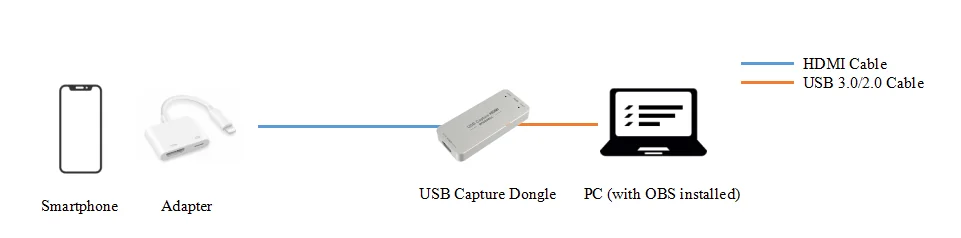
1. If you are using a laptop and only need to capture one signal, use a Magewell USB Capture device such as the USB Capture HDMI Gen 2 to bring the video into OBS Studio. As shown in the signal flow diagram below, connect the phone to the USB Capture device with the Lightning-to-HDMI adapter and an HDMI cable, then connect the capture device to your computer with the USB cable. No driver installation is required, and the device takes its power from the USB port.
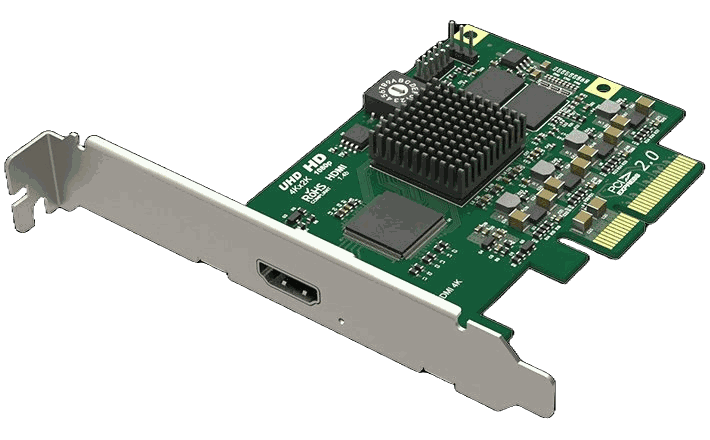
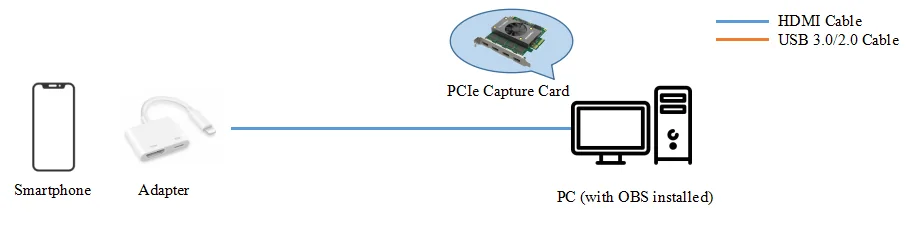
If you are using a desktop computer with a free PCIe slot, a PCIe capture card from the Pro Capture family, such as the Pro Capture HDMI, is a good choice because it stays fitted inside the computer. Install the card in the PCIe slot first, then install its driver, which is available from Magewell. You can then connect the phone to the card with the Lightning-to-HDMI adapter and HDMI cable, as shown below:
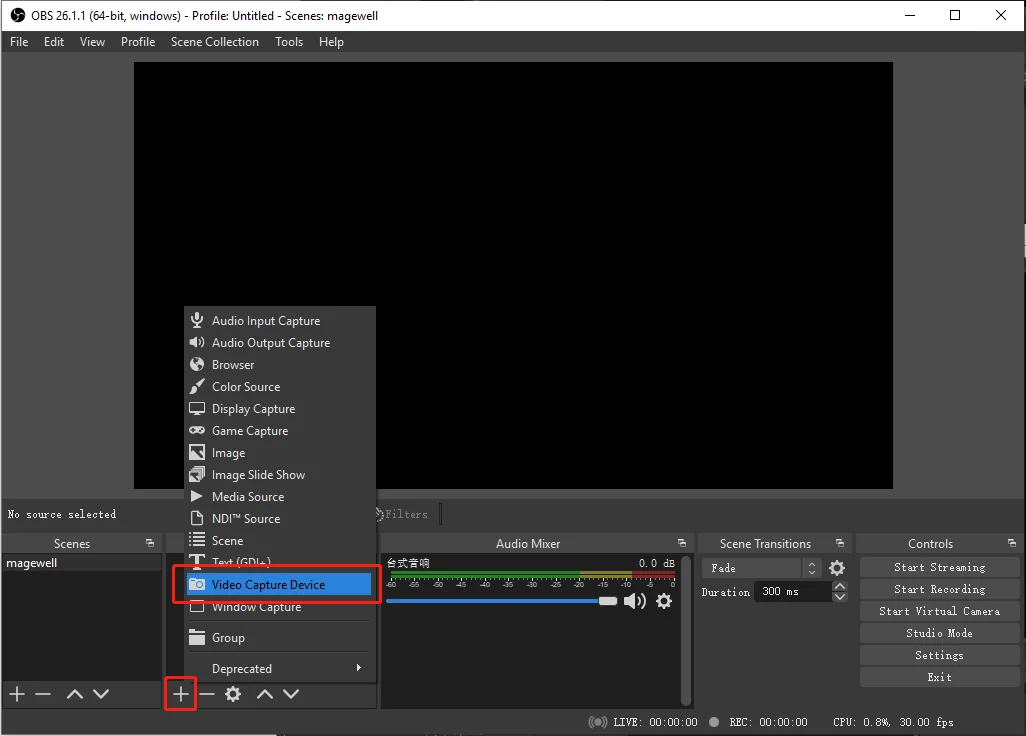
2. Open OBS Studio, click the "+" symbol in the "Sources" panel, and select "Video Capture Device" in the pop-up list.
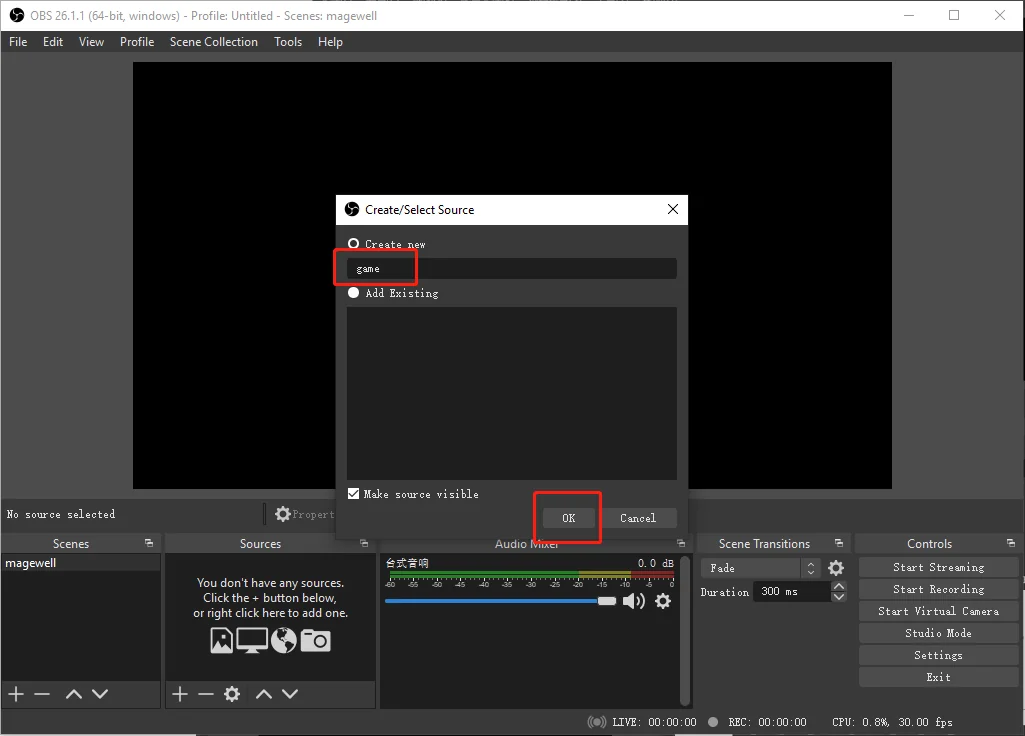
3. In the pop-up "Create/Select Source" page, leave "Create New" selected. Give the new source a name ("game" in the example below), then click "OK".
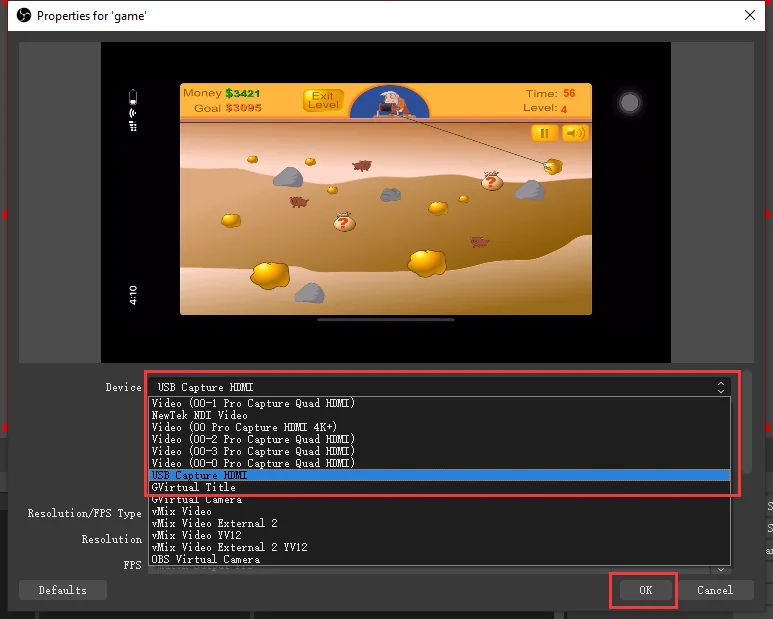
4. In the Properties page, click the drop-down arrow to the right of "Device", select the Magewell capture device (USB Capture HDMI in the example below), and click "OK". You can now use video of the mobile game as a source.
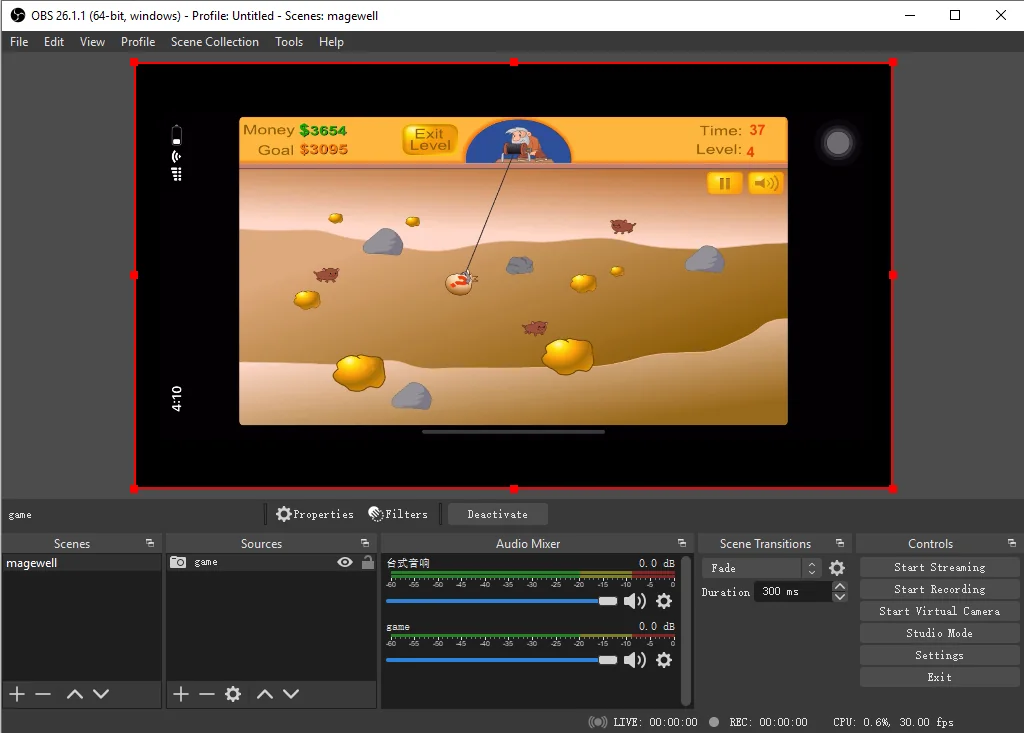
5. You can now specify a streaming URL in OBS to start live streaming your mobile game.
Magewell capture devices are not limited to OBS Studio. USB Capture devices work with other software that accepts a standard video source, and run on Windows, macOS, Linux and Chrome OS. They also carry out video processing inside the device, including scaling, flip and mirror, and colour format conversion. That work is done by the capture hardware, which leaves the computer's processor free for the game stream.
ForeFront Imaging is the authorised UK distributor for Magewell. We stock the full range and can help you spec the right solution.
Browse Products Talk to UsNo marketing noise. Just new product launches, firmware updates, and the occasional guide.
No spam. Unsubscribe any time. Your email is never shared.
Enjoying your visit? Quick rating of your browsing experience so far:
Anything specific? (optional)