Capture · Record · Stream · Encode · DecodeCapture · Record · Stream · Encode · Decode
NDI Router is a software tool, part of NDI 6 Tools, that works as a virtual video router. You choose which NDI source feeds each destination from one screen, in place of a hardware routing switcher. In July 2025, NDI® released the Advanced SDK Version 6.2, which includes NDI Router. Magewell Pro Convert decoders work with it once their firmware is upgraded to V1.2.213. This article is a step-by-step guide to setting it up, using a test signal and one decoder so you can confirm it works before you route real sources.
What you need
You will need the following equipment, all on the same network:
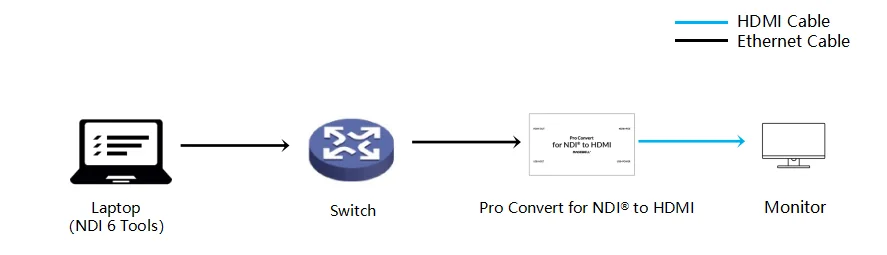
Step by step
Part 1: set up NDI Router on the PC
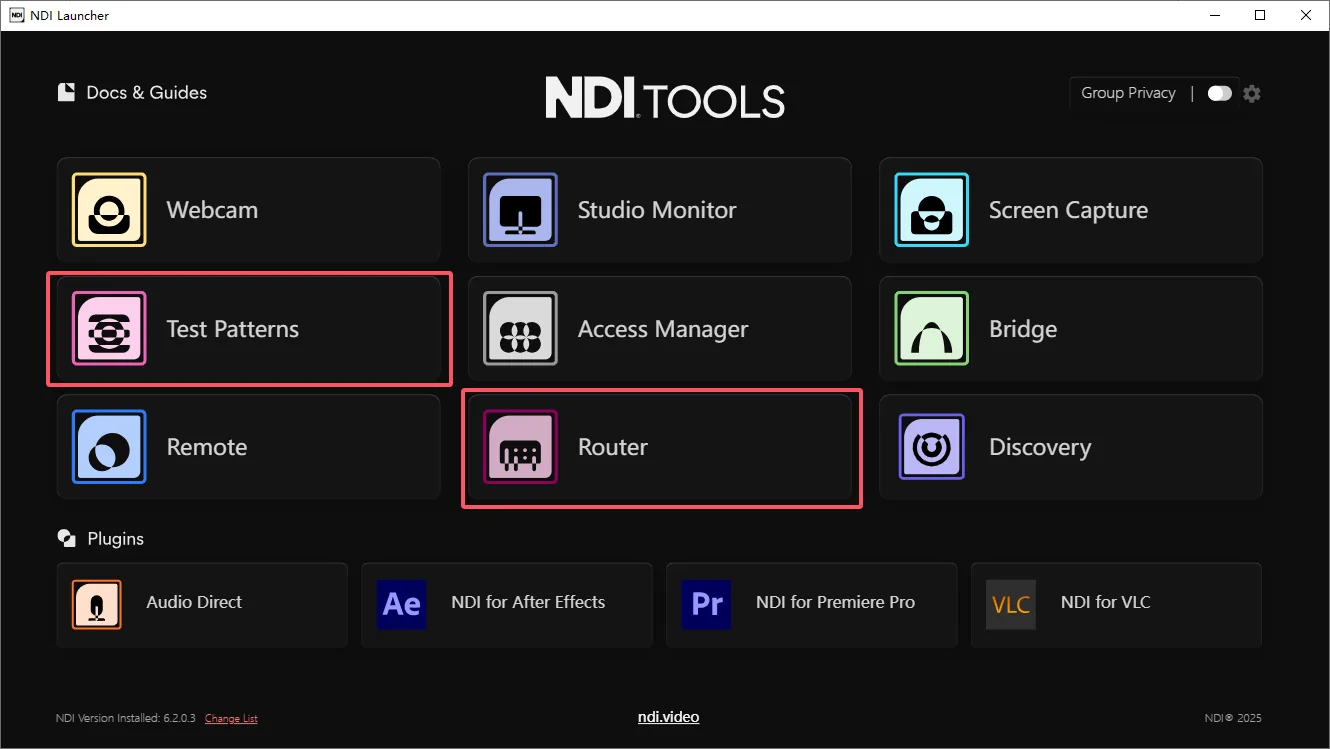
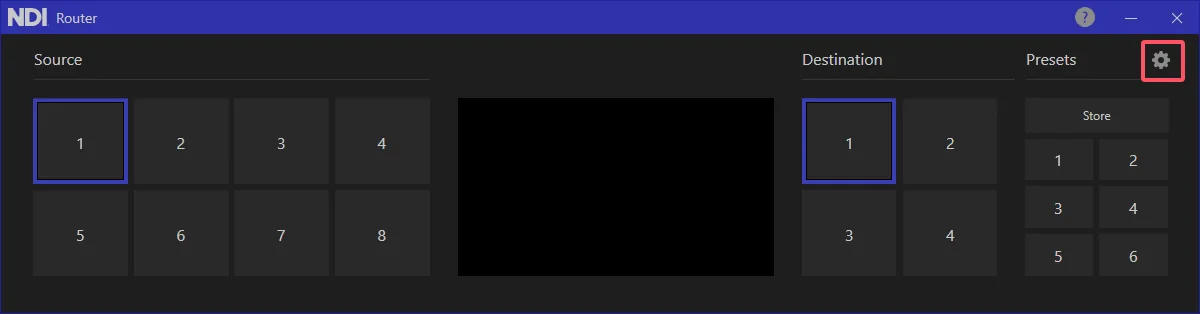
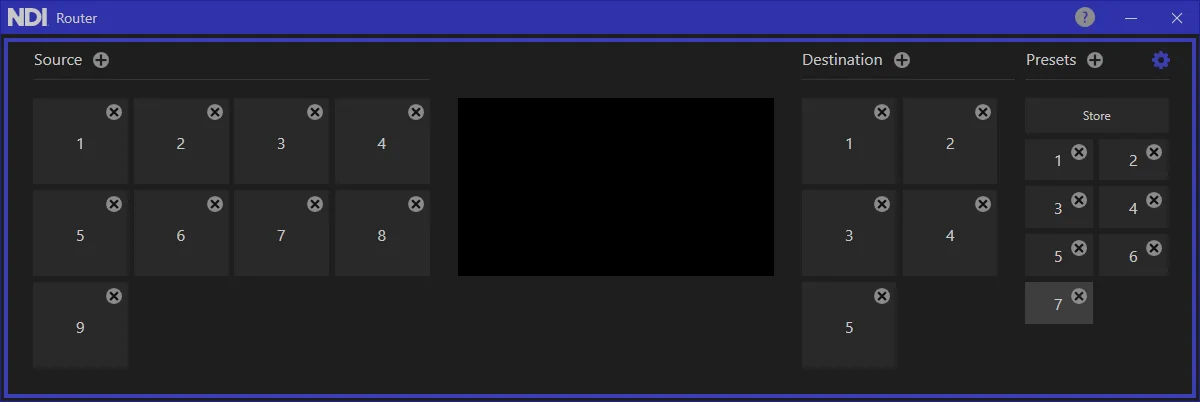
In configuration mode you can add or remove sources, destinations and presets to match your system. Click the "+" icon to the right of each label to add one, and the "X" icon at the top right of a number to remove it.
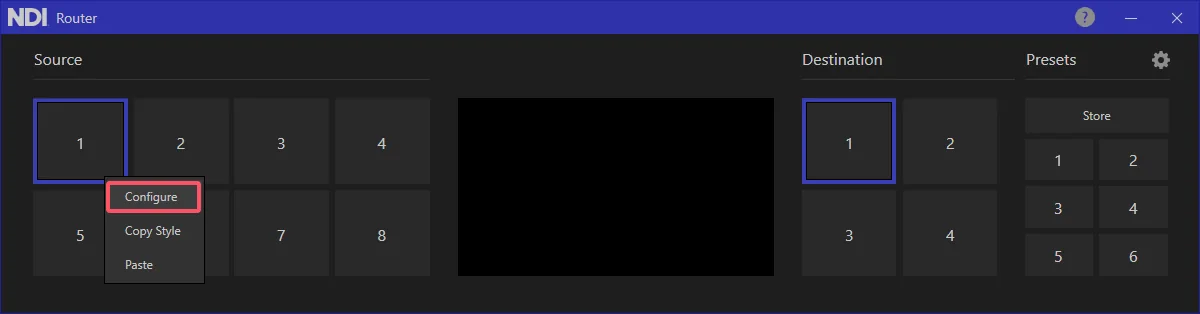
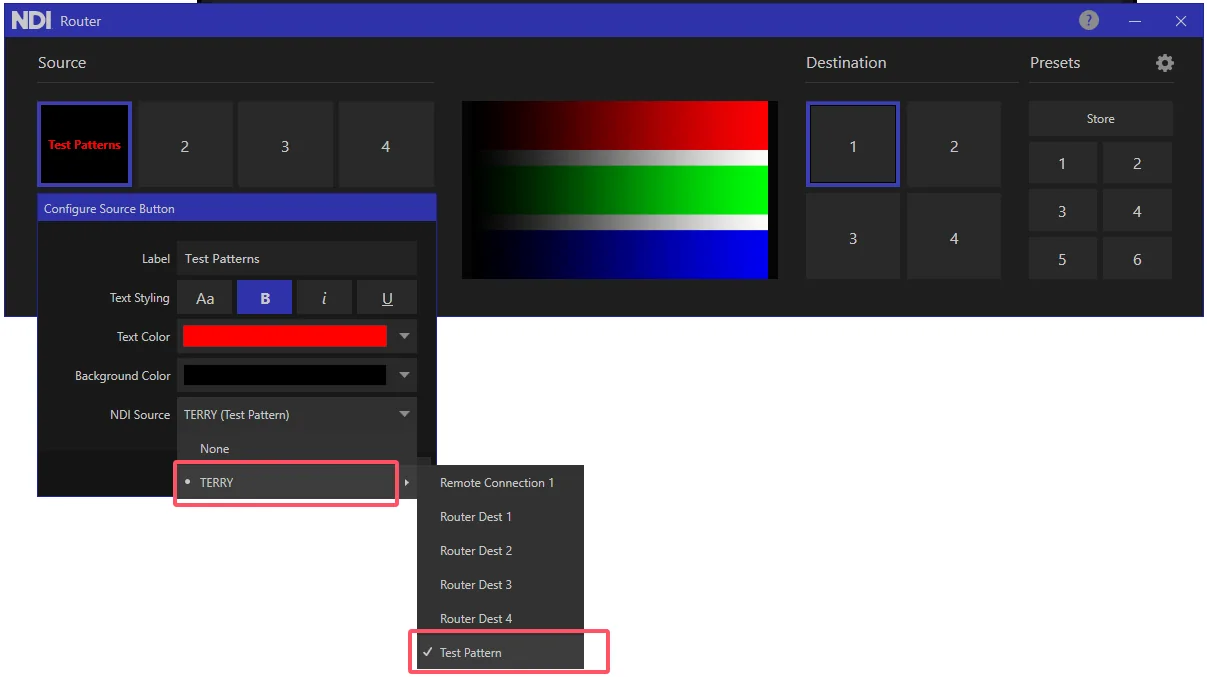
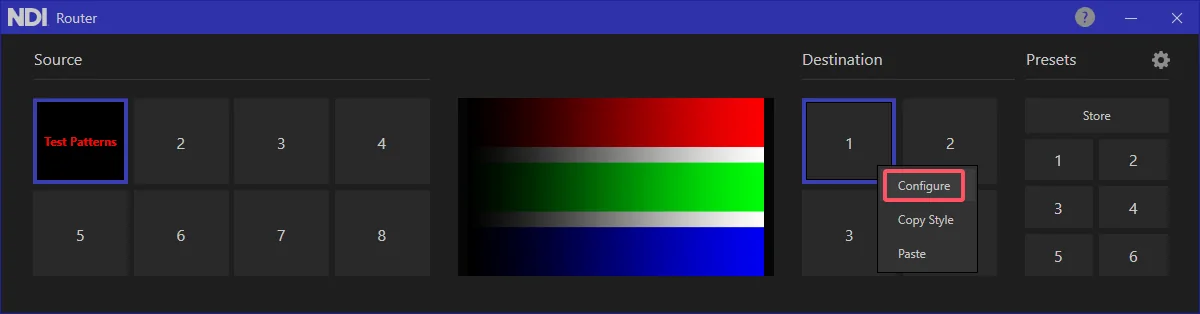
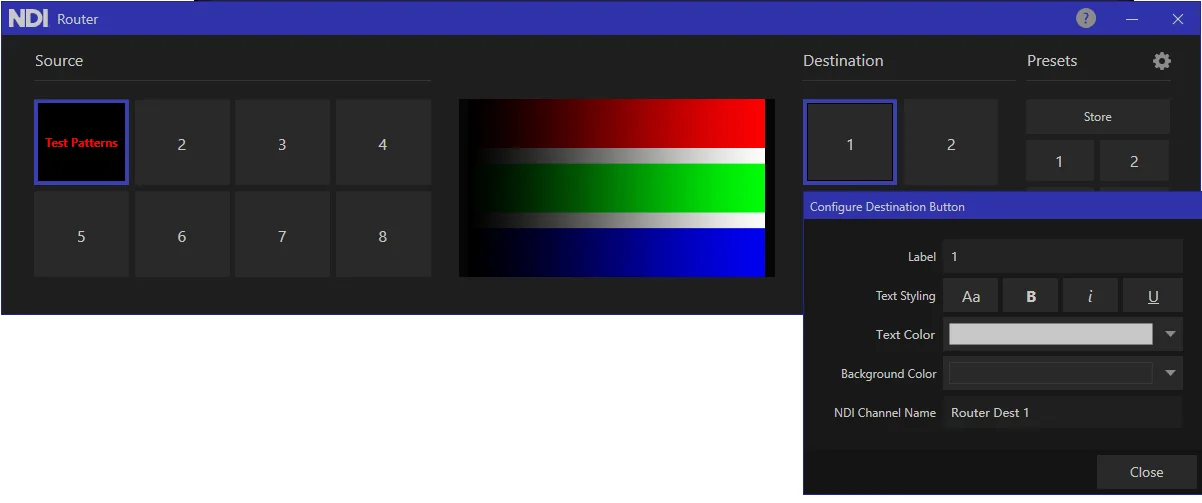
Part 2: select the routed output on the decoder
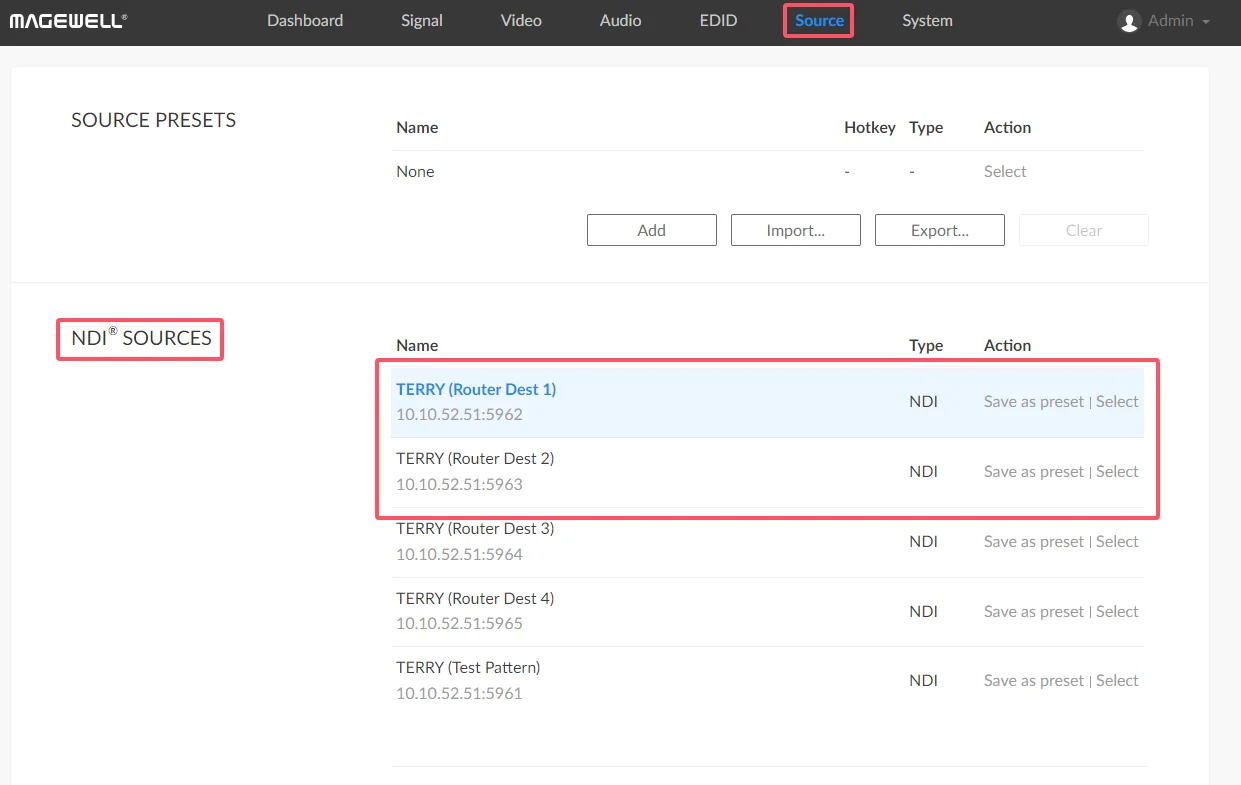
That completes the setup. The decoder stays on "Router Dest 1", and from now on you change what it shows by clicking a different source in NDI Router on the PC, with no need to log in to the decoder again. With several decoders, give each one its own Router destination and you can manage every screen from one place.
Related tutorial:
• Pro Convert Decoders Firmware Update: Enhancing NDI Discovery for Optimized Network Workflow.
It covers the NDI Discovery improvements in the same firmware release.
NDI® is a registered trademark of Vizrt NDI AB.
ForeFront Imaging is the authorised UK distributor for Magewell. We stock the full range and can help you spec the right solution.
Browse Products Talk to UsNo marketing noise. Just new product launches, firmware updates, and the occasional guide.
No spam. Unsubscribe any time. Your email is never shared.
Enjoying your visit? Quick rating of your browsing experience so far:
Anything specific? (optional)