Dual-PC Streaming: How to Capture Your Gaming PC Into a Dedicated Streaming Rig
Why Bother?
Encoding a stream in software (x264) is CPU-intensive. On a gaming PC already running a demanding game, that encoding load causes frame drops and stuttering. A dedicated streaming PC handles encoding independently, so the gaming PC runs the game unaffected.
The Hardware Chain
Gaming PC → HDMI out → Capture card in streaming PC → OBS on streaming PC → YouTube/Twitch.
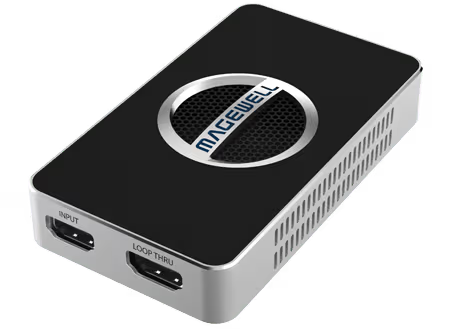
The USB Capture HDMI 4K Plus is the most popular choice — plug into the streaming PC USB 3.0 port, connect HDMI from the gaming PC, and it appears immediately in OBS as a camera source.
Audio Routing
Audio from the gaming PC needs to reach the streaming PC. The simplest approach is a 3.5mm audio cable from the gaming PC headphone output to the 3.5mm input on the USB Capture HDMI Plus.
Display and Gameplay
Use the HDMI loop-through output on the Plus or 4K Plus to connect a gaming monitor. The gaming PC output goes into the capture card, loop-through feeds the monitor, and the streaming PC captures simultaneously. Zero added latency on the gaming monitor.
Why Magewell Over Consumer Capture Cards
Consumer cards use software processing that adds CPU load on the streaming PC. Magewell FPGA-based processing handles all conversion onboard — the streaming PC receives a clean feed with zero additional CPU usage. Over long multi-hour streams, this reliability difference is significant.