Authorised UK Magewell Distributor
🎓 Education  |  📡 Broadcast  |  🏥 Healthcare  |  ⛪ Houses of Worship  |  🏛️ Government
In Stock  ·  Same-day despatch  ·  UK-based support
ResourcesSoftwareBlog & ArticlesCase StudiesKnowledge BaseLiterature✍️ Submit a Case Study
← Back to Knowledge Base
📄 Eco Capture FAQs

Eco Capture M.2 Compatibility and Platforms
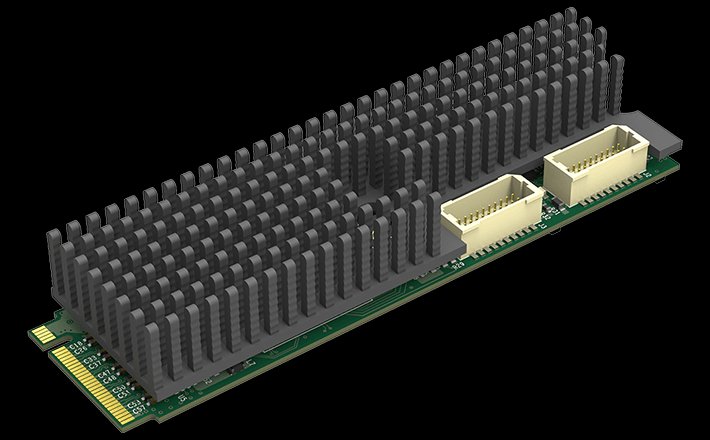
Magewell Eco Capture M.2 Compatibility and Platforms

Operating System Support

Eco Capture M.2 cards support Windows, Linux and embedded platforms. macOS is not supported — Magewell does not currently produce a macOS driver for the Eco Capture range. If you need macOS capture, the USB Capture range or Pro Capture range (via Thunderbolt enclosure) are the right choices.

NVIDIA Jetson Compatibility

Eco Capture cards work with NVIDIA Jetson Xavier and Jetson TX2 boards, allowing high-density capture into embedded AI workflows. The Xavier and TX2 share the same driver.

Adapter Compatibility

Eco Capture cards run via M.2 to PCIe or M.2 to Thunderbolt adapters where the host has no direct M.2 slot. As with Pro Capture in Thunderbolt enclosures, the macOS restriction still applies — the bottleneck is driver availability, not the connection method.

What Eco Capture Does Not Do

Video cropping is not currently supported in firmware. Scaling, deinterlacing, colour-space conversion, and frame-rate conversion are all available. If region-of-interest capture is a hard requirement, Pro Capture cards (which support cropping in hardware) are the alternative.

Still need help?
Our UK-based technical team are available Monday to Friday 9am–5pm.
Contact Support+44 (0)116 277 5730
Stay Updated

New products and Magewell updates

No marketing noise. Just new product launches, firmware updates, and the occasional guide.

No spam. Unsubscribe any time. Your email is never shared.

Frequently Asked Questions

Eco Capture M.2 cards require an M.2 slot with PCIe lanes (not SATA). Most modern motherboards have at least one M.2 PCIe slot. Check your motherboard specification — look for M.2 (PCIe 3.0 x4 or x2) in the M.2 slot description.

Only if your laptop has an accessible M.2 PCIe slot that is not used by the primary SSD, and if the slot is accessible without voiding warranty. In practice, most users install Eco Capture M.2 cards in desktop workstations or NUC-style mini PCs.

The Eco Capture M.2 uses the V4L2 framework on Linux. Compatible software includes OBS Studio, GStreamer, FFmpeg and any V4L2-compatible application. Download the Magewell Linux driver for the Eco Capture range from the Magewell website.

Eco Capture M.2 cards support Windows 10/11, Linux (kernel 4.15+), and macOS 10.15+. On Windows, the MWCapture driver is required. On Linux and macOS, Eco Capture is compatible with V4L2 and AVFoundation respectively.

Eco Capture M.2 cards use the M.2 M-key connector and require a PCIe x4 M.2 slot. They are not compatible with M.2 SATA slots. Always verify your host system has an M.2 PCIe slot before ordering — many ultrabooks have M.2 SATA only.

Yes — this is the primary use case. Many Intel NUCs, mini PCs, and compact embedded systems have M.2 PCIe slots suitable for Eco Capture. The compact M.2 form factor makes it ideal for space-constrained installations where a full PCIe Pro Capture card will not fit.

Eco Capture M.2 cards are available in single-channel and dual-channel variants. The Eco Capture Quad SDI M.2 supports four independent SDI capture channels on a single card. Check the specific model for channel count.