Capture · Record · Stream · Encode · DecodeCapture · Record · Stream · Encode · Decode
For most houses of worship the best answer is a standalone hardware encoder: a small box that takes the camera or mixer output and streams it with no computer involved. Reliability matters more than flexibility on a Sunday morning. An encoder such as the Ultra Stream HDMI or Ultra Encode HDMI is set up once and then does one job. Volunteers have no streaming software to learn, and no operating system updates or driver problems to deal with before each service.
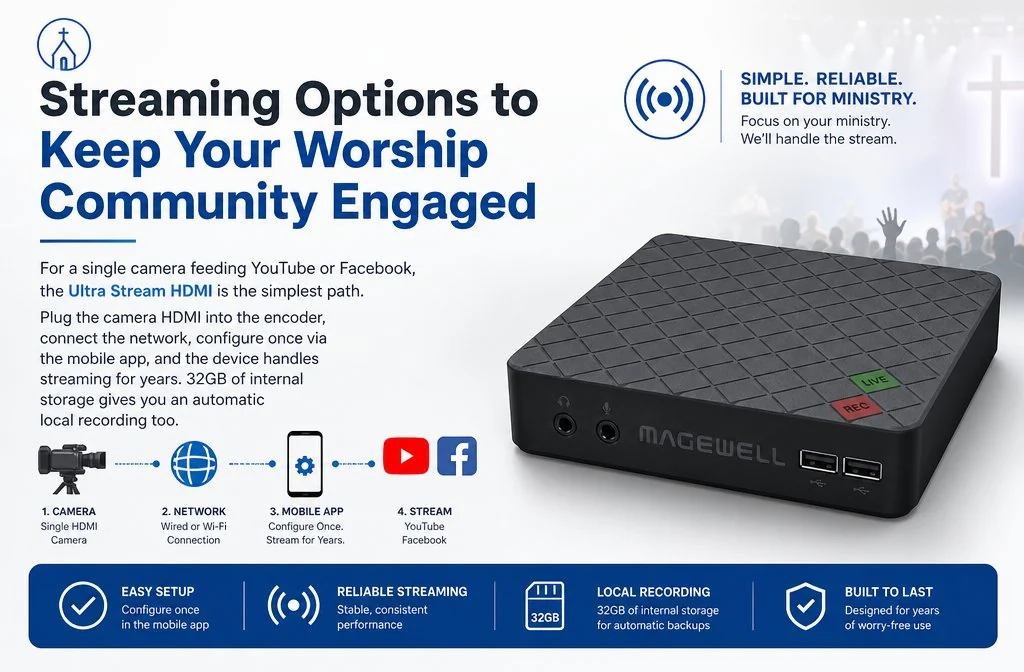
For a single camera feeding YouTube or Facebook, the Ultra Stream HDMI is the simplest path. Plug the camera's HDMI output into the encoder, connect the network and set it up once from the smartphone app or a browser. After that, starting and stopping is done on the unit or in the app. It streams in HD up to 1080p60 and can record to its 32 GB of internal storage at the same time, so you keep a copy of the service even if the internet connection drops. An HDMI loop-through feeds a screen in the building from the same source.
Many established venues already have SDI cabling to fixed cameras on balconies, rear walls or in the roof space, where running new HDMI would be impractical. The Ultra Stream SDI takes a 3G-SDI feed directly and does what the HDMI version does: YouTube, Facebook, other RTMP services and recording. If your camera has both outputs, SDI is the better choice for long cable runs, and its BNC connectors lock in place. The Ultra Encode SDI adds SRT and up to six RTMP destinations at once, for sending to your own website, a streaming provider and YouTube together.
For switching between cameras there are two routes. The Director Mini combines the switcher and the encoder in one unit. It has two HDMI inputs, takes USB and network sources including NDI, is operated from a 5.44-inch AMOLED touchscreen and streams to up to four destinations with no PC. The alternative is switching software such as vMix or OBS Studio on a computer, fed by USB Capture devices or Pro Convert NDI encoders. For most worship teams the Director Mini is the easier choice, because there is no computer to maintain and one unit for volunteers to learn. If you also need an HDMI programme output for screens in the building, look at the Director One.
Sound matters more than picture to people watching at home. Take a feed from the sound desk in preference to the camera's microphone. Both Ultra Stream models have a 3.5 mm microphone input. The Ultra Encode models, including the Ultra Encode HDMI Plus, have a 3.5 mm line input and line output. These are unbalanced 3.5 mm sockets, so use a suitable cable or adaptor from the desk's balanced outputs, or embed the desk audio into the HDMI or SDI signal before the encoder. A clean feed from the desk makes a clear difference to how the stream comes across to your remote congregation.
A stream needs a stable upload speed comfortably above its bitrate, so leave headroom. Test the connection at the place where the encoder will sit, not only next to the office router. A wired Ethernet connection is more dependable than Wi-Fi for live streaming, so if the camera position has no network socket, that is the first thing to put right. Where a cable is not possible, the Ultra Stream HDMI has built-in Wi-Fi and also supports a 3G / 4G USB modem (not included) as an alternative.
Recording while you stream gives you an archive of every service with no extra equipment. Not every encoder records, so check before you buy. The Ultra Stream models record to 32 GB of internal storage or a USB flash drive, and can upload finished files to an FTP server, Dropbox or Google Drive. The Ultra Encode HDMI Plus records to 128 GB of internal storage, a USB drive or a NAS, and the Director Mini records to 64 GB of internal storage or an SD card. The Ultra Encode HDMI and Ultra Encode SDI stream only. A recording can be uploaded to YouTube as a replay after the service, or kept on a shared drive. At the Ultra Stream's top bitrate, 32 GB holds several hours of HD video.
No marketing noise. Just new product launches, firmware updates, and the occasional guide.
No spam. Unsubscribe any time. Your email is never shared.
Enjoying your visit? Quick rating of your browsing experience so far:
Anything specific? (optional)