Capture · Record · Stream · Encode · DecodeCapture · Record · Stream · Encode · Decode
When a screen has to stay live, a single encoder is a single point of failure. A second, redundant encoder that takes over automatically means viewers do not lose the picture if something goes wrong.
Magewell Pro Convert encoders have automatic failover for NDI. If a decoder cannot receive the NDI stream from the main encoder, it switches to a backup Pro Convert encoder. When the main encoder recovers, the original source is restored.
Failover is not only for unexpected faults. It also keeps a 24/7 display running while you reconfigure the main encoder.
This article explains how to set it up.
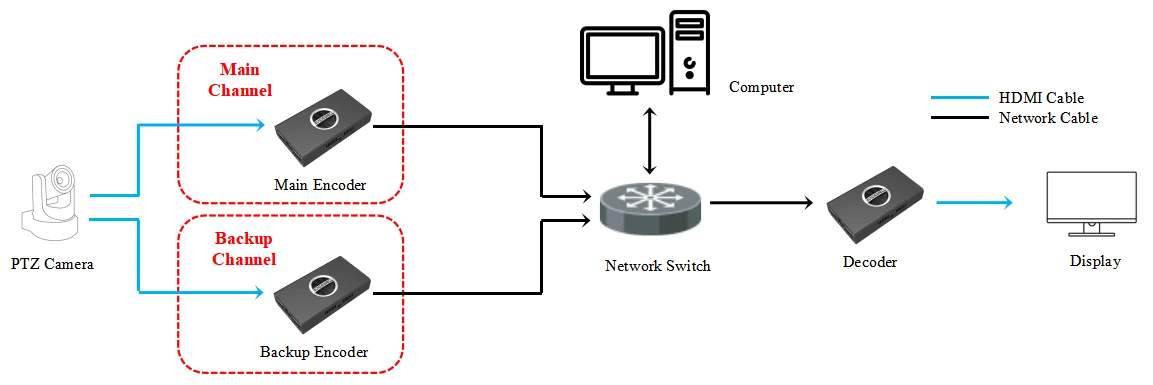
1. Feed the PTZ camera’s HDMI output to both encoders. If the camera has only one HDMI output, use an HDMI splitter so that each encoder has its own feed. Connect the encoders, the decoder and the computer to the same network switch, and connect the decoder to a display with an HDMI cable, as shown in the connection diagram:
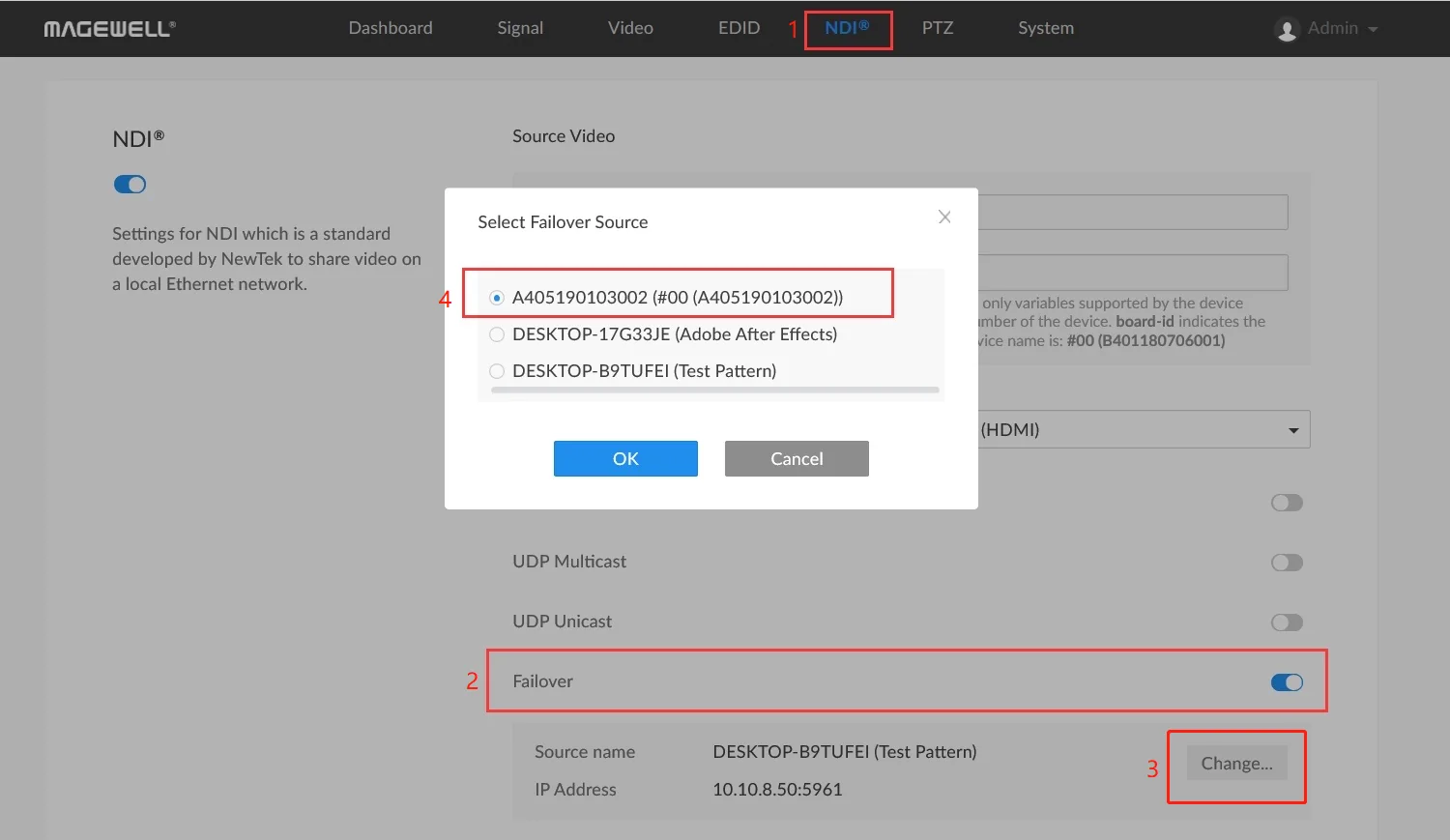
2. Log into the web interface of the main encoder. Click "NDI" in the top menu and turn on the "Failover" switch. In the pop-up menu, select the backup Pro Convert encoder, then click "OK".
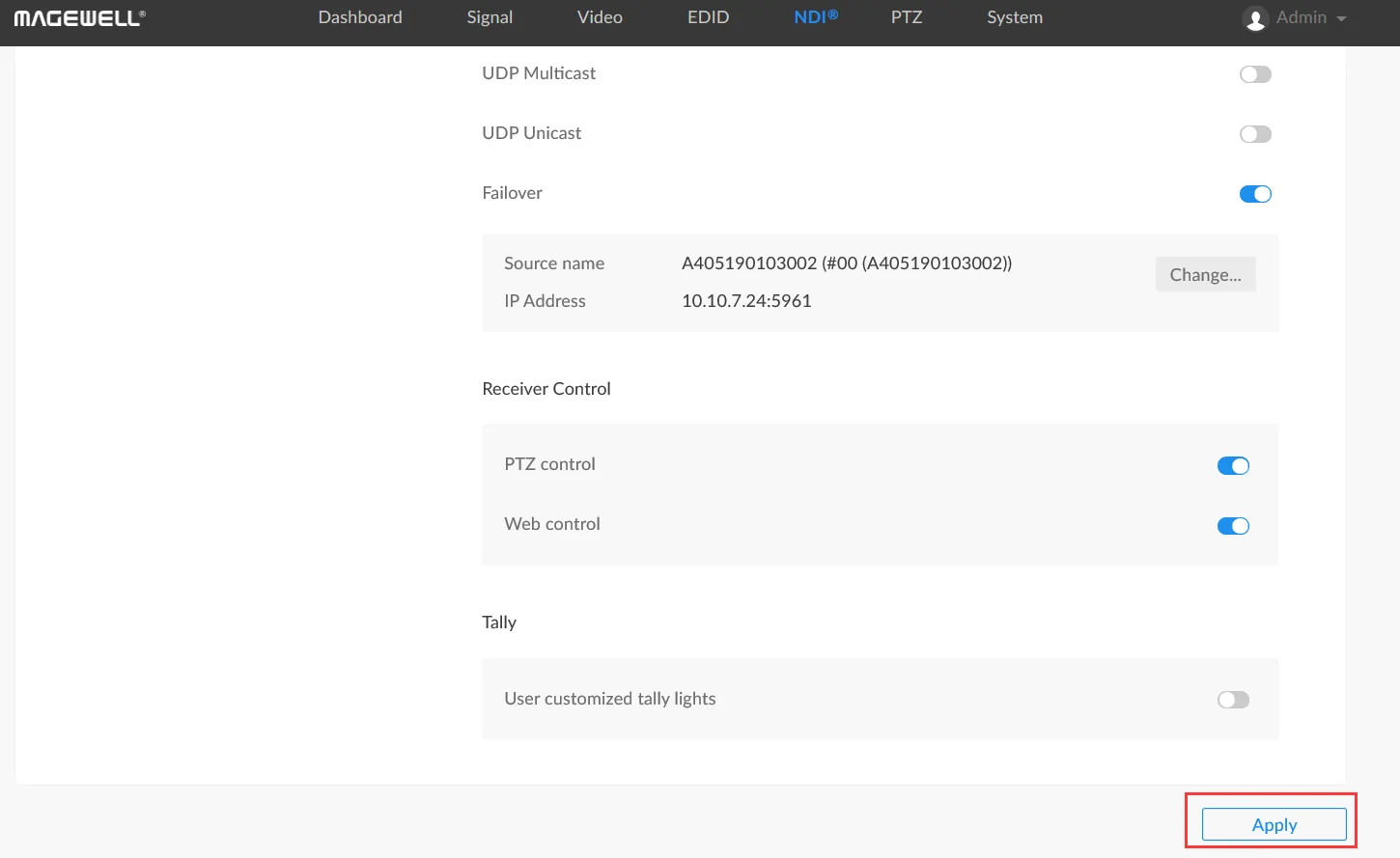
3. Scroll to the bottom of the page and click "Apply". Failover is now enabled.
Failover is triggered when the decoder cannot access the NDI stream from the main encoder on the same LAN. The backup encoder then provides the NDI source for decoding and display. There are three situations in which this happens:
1. NDI is turned off on the main encoder.
If NDI is disabled on the main encoder, for example in the dashboard or the "NDI" tab of its web interface, the decoder starts decoding the stream from the backup encoder. Turn NDI on again and the source from the main encoder is restored.
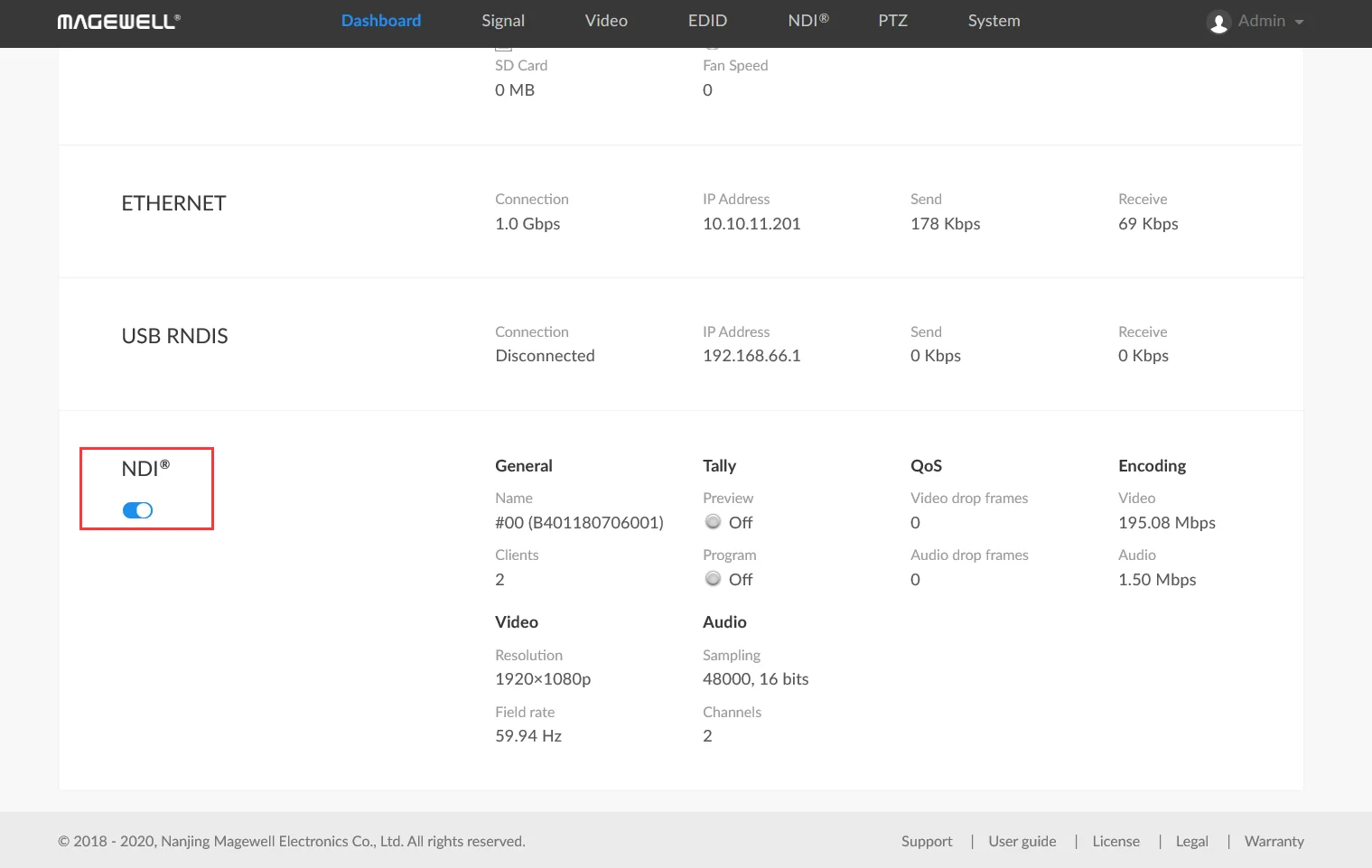
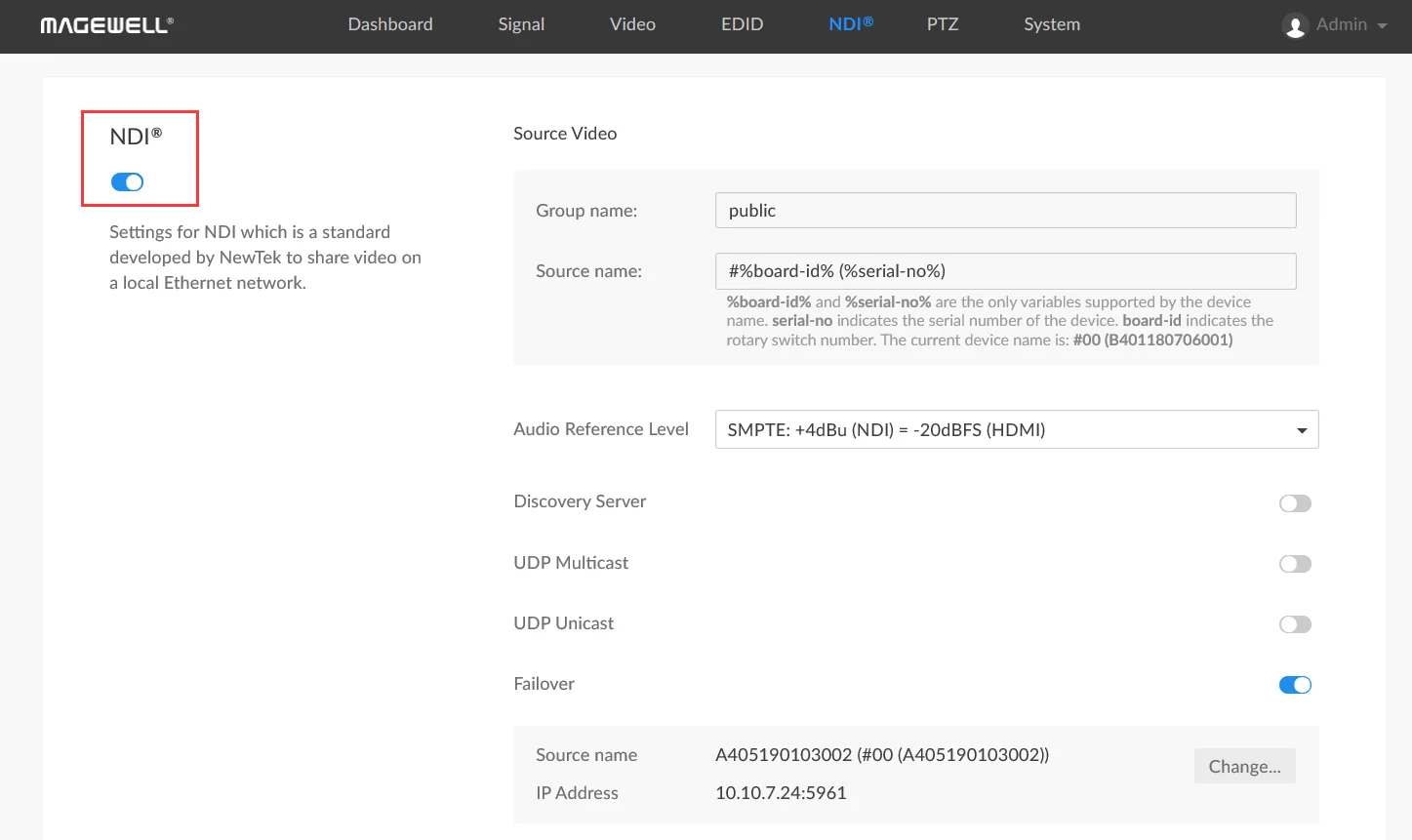
2. The source name of the main encoder is changed.
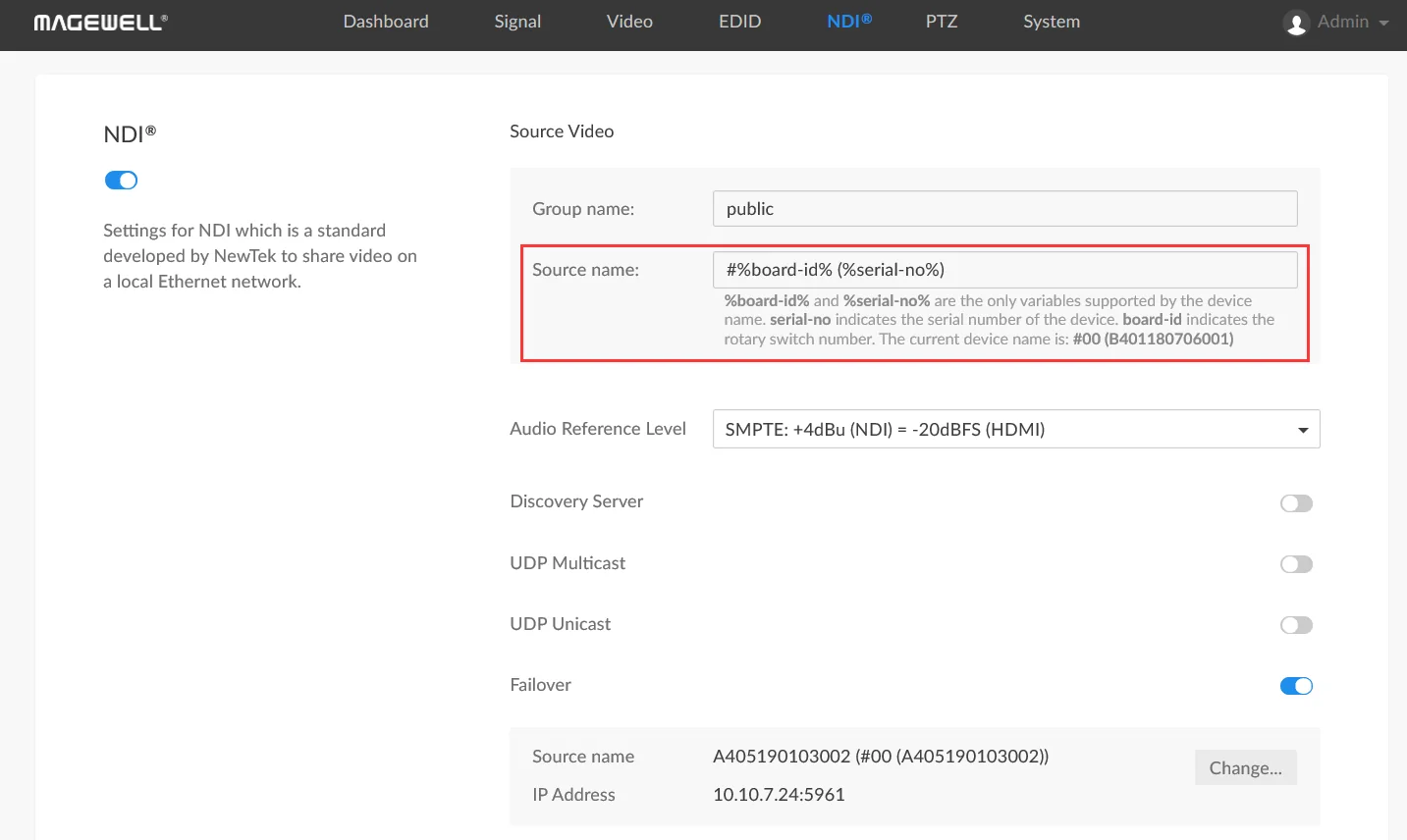
If the "Video Source Name" is changed in the "NDI" tab of the main encoder, the decoder decodes the stream from the backup encoder. Change the name back and the decoder returns to the main NDI channel automatically.
3. The decoder cannot reach the main encoder on the same LAN.
If the decoder cannot reach the main encoder, because of a network fault or a device fault, it starts decoding the stream from the backup encoder. When the connection is restored, it switches back to the main NDI channel automatically.
The same function has a second practical use. Because changing the source name triggers the switch, failover gives you a quick way to cut between two NDI streams, such as two different video sources, for simple production.
ForeFront Imaging is the authorised UK distributor for Magewell. We stock the full range and can help you spec the right solution.
Browse Products Talk to UsNo marketing noise. Just new product launches, firmware updates, and the occasional guide.
No spam. Unsubscribe any time. Your email is never shared.
Enjoying your visit? Quick rating of your browsing experience so far:
Anything specific? (optional)