Capture · Record · Stream · Encode · DecodeCapture · Record · Stream · Encode · Decode
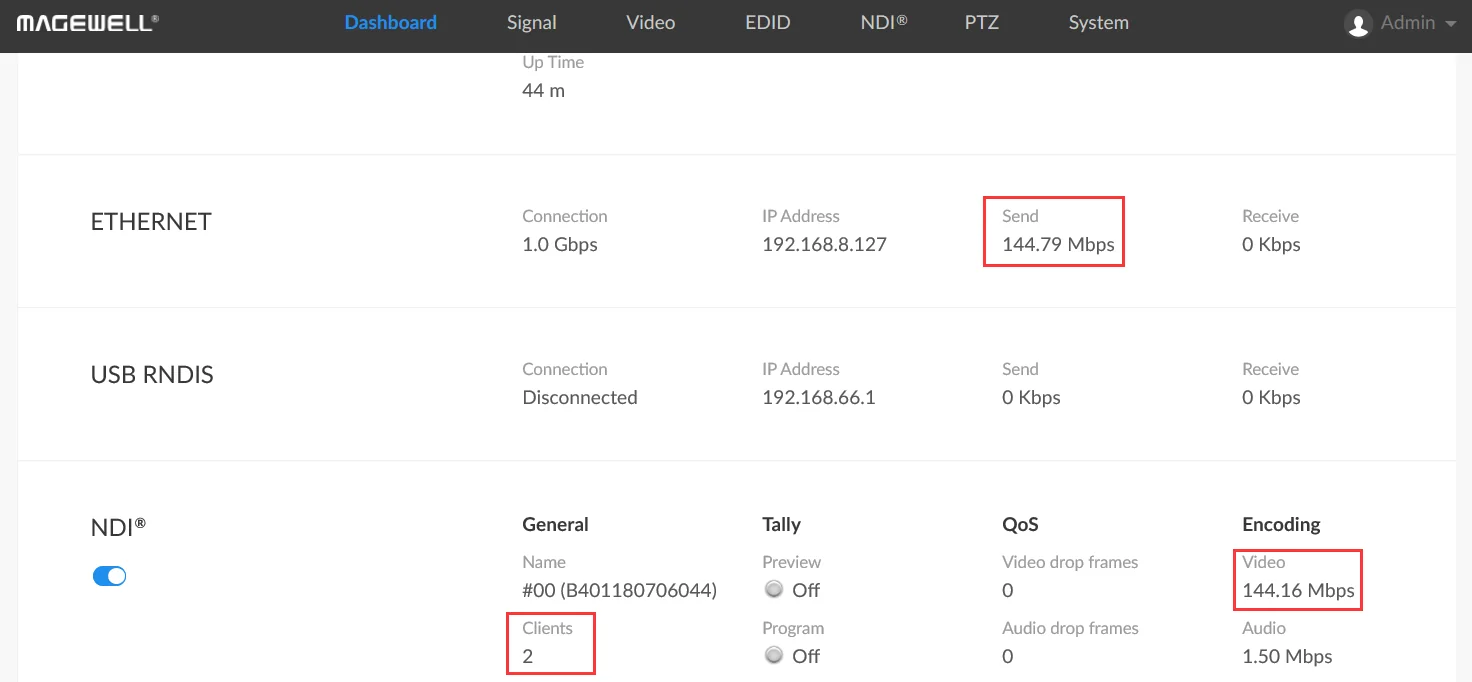
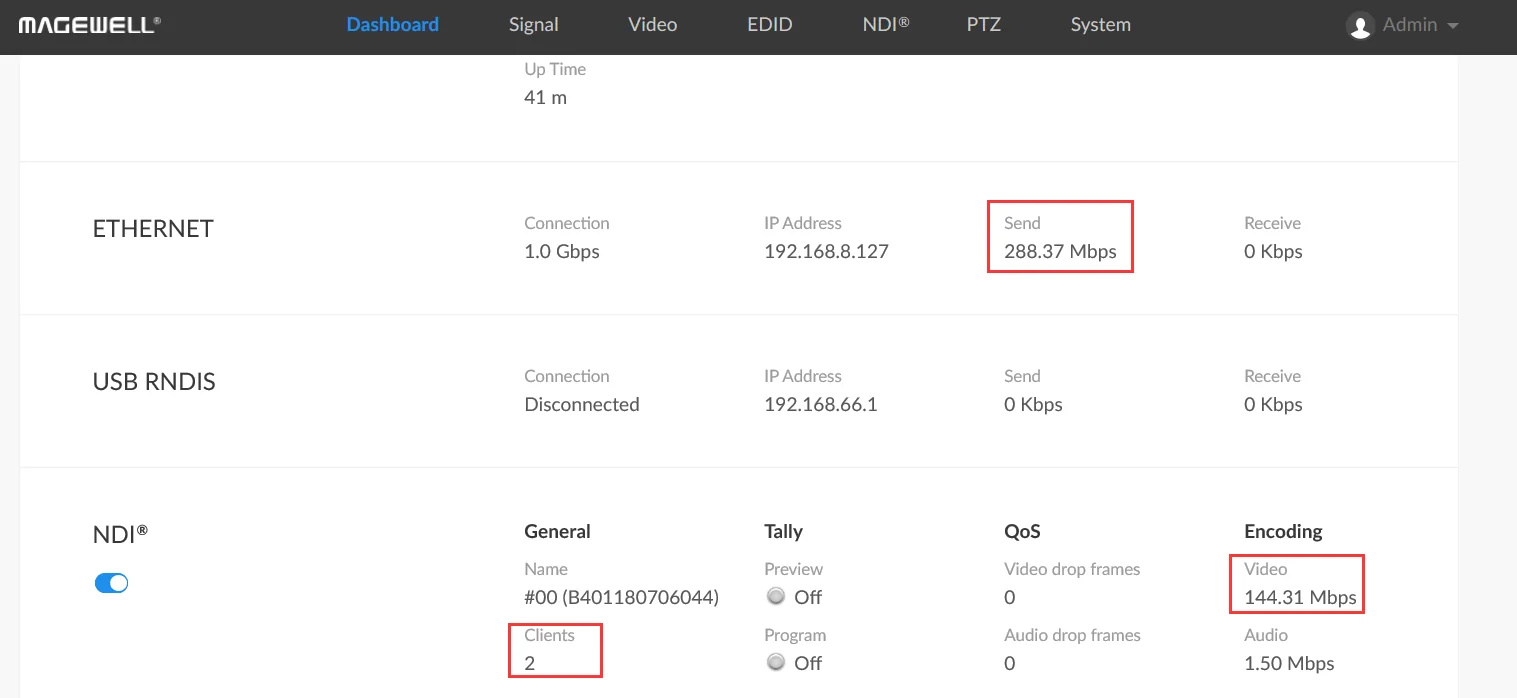
To feed several decoders from one Magewell Pro Convert encoder without multiplying your network load, set the encoder’s NDI® transport mode to UDP (Multicast). In Magewell’s example, one 1080p60 stream used 144.79 Mbps in multicast however many decoders were watching, against 288.37 Mbps when two decoders received it by unicast.
NDI® (Network Device Interface) carries video, audio and metadata over a local network with very low delay. It lets you build an AV-over-IP system on an ordinary Gigabit network in place of long HDMI or SDI runs.
NDI® comes in a high-bandwidth form and in lower-bandwidth NDI® HX forms. Pro Convert encoders send NDI® High Bandwidth, which uses light compression for a picture that is nearly visually lossless. The price is network load: a single 1080p60 stream typically needs well over 100 Mbps, and 4K needs more again. On a Gigabit network that soon adds up when you carry several streams, or send one stream to several destinations.
With unicast, the encoder sends a separate copy of the stream to each destination. The bandwidth leaving the encoder is roughly the stream’s bandwidth multiplied by the number of receivers, so two decoders need about twice as much as one.
With multicast, the encoder sends the stream once and the network delivers it to every decoder that asks for it. The bandwidth from the encoder stays essentially the same however many decoders are watching. The steps below show how to use the UDP (Multicast) transport mode on a Magewell Pro Convert encoder. For this example you need:
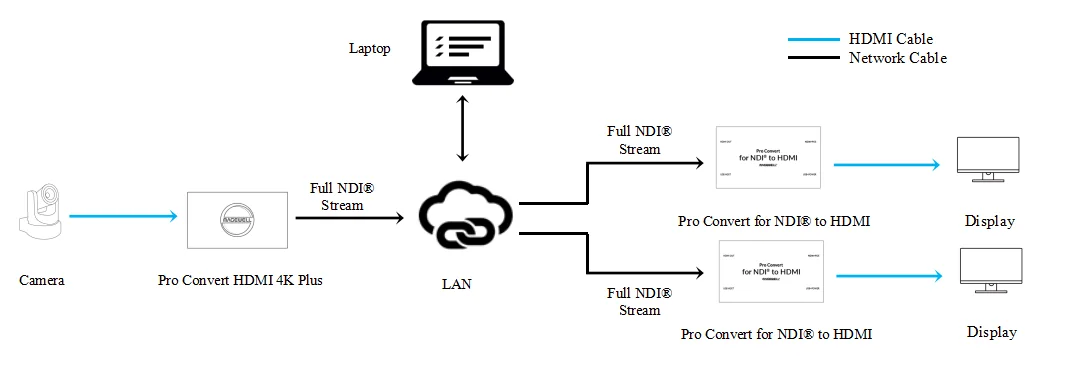
The diagram below shows how the devices are connected. The camera feeds the encoder over HDMI, and the encoder and both decoders sit on the same network switch.
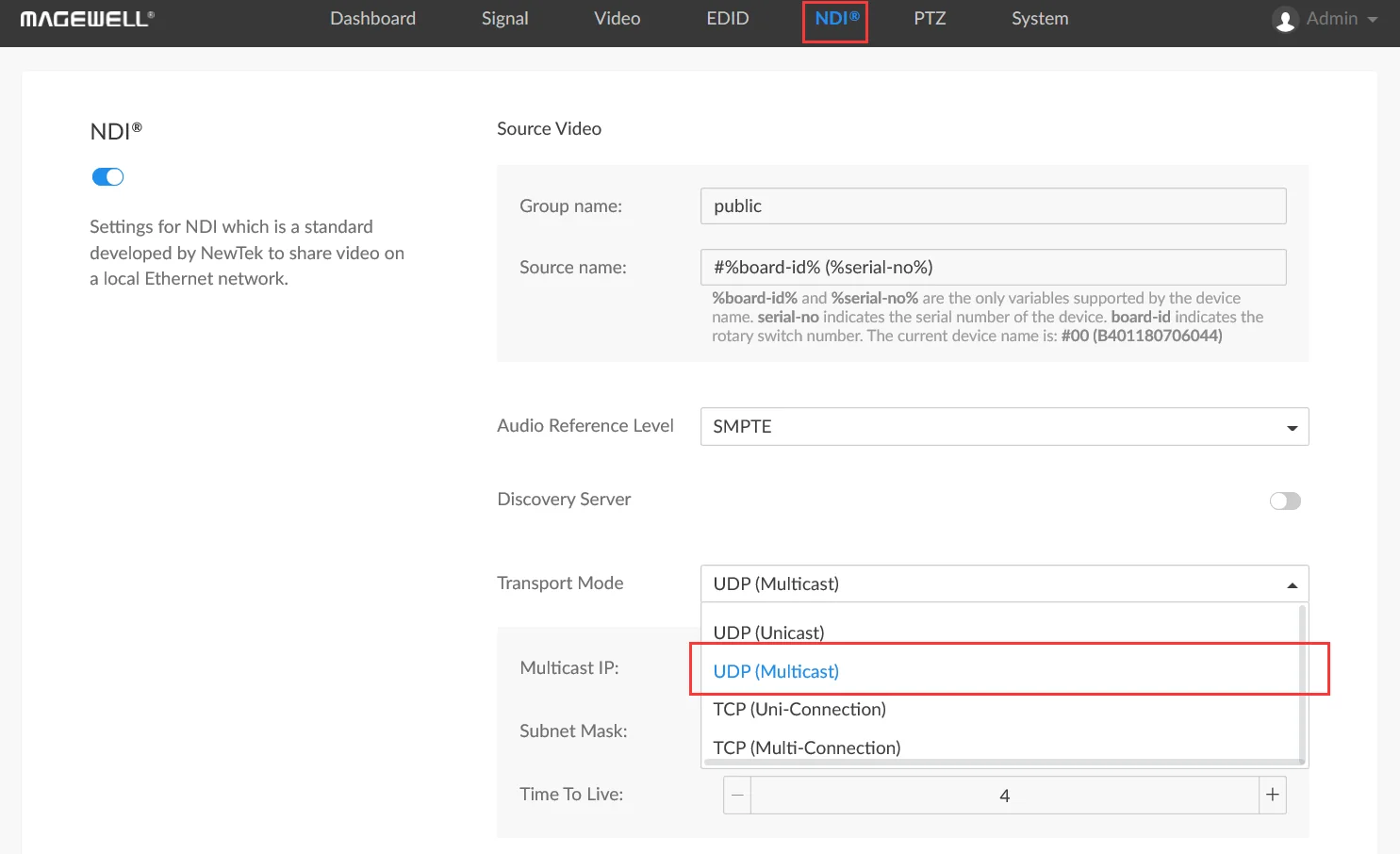
1. Log in to the Web UI of the encoder and open the NDI® tab. In the Transport Mode field, select “UDP (Multicast)” from the drop-down menu.
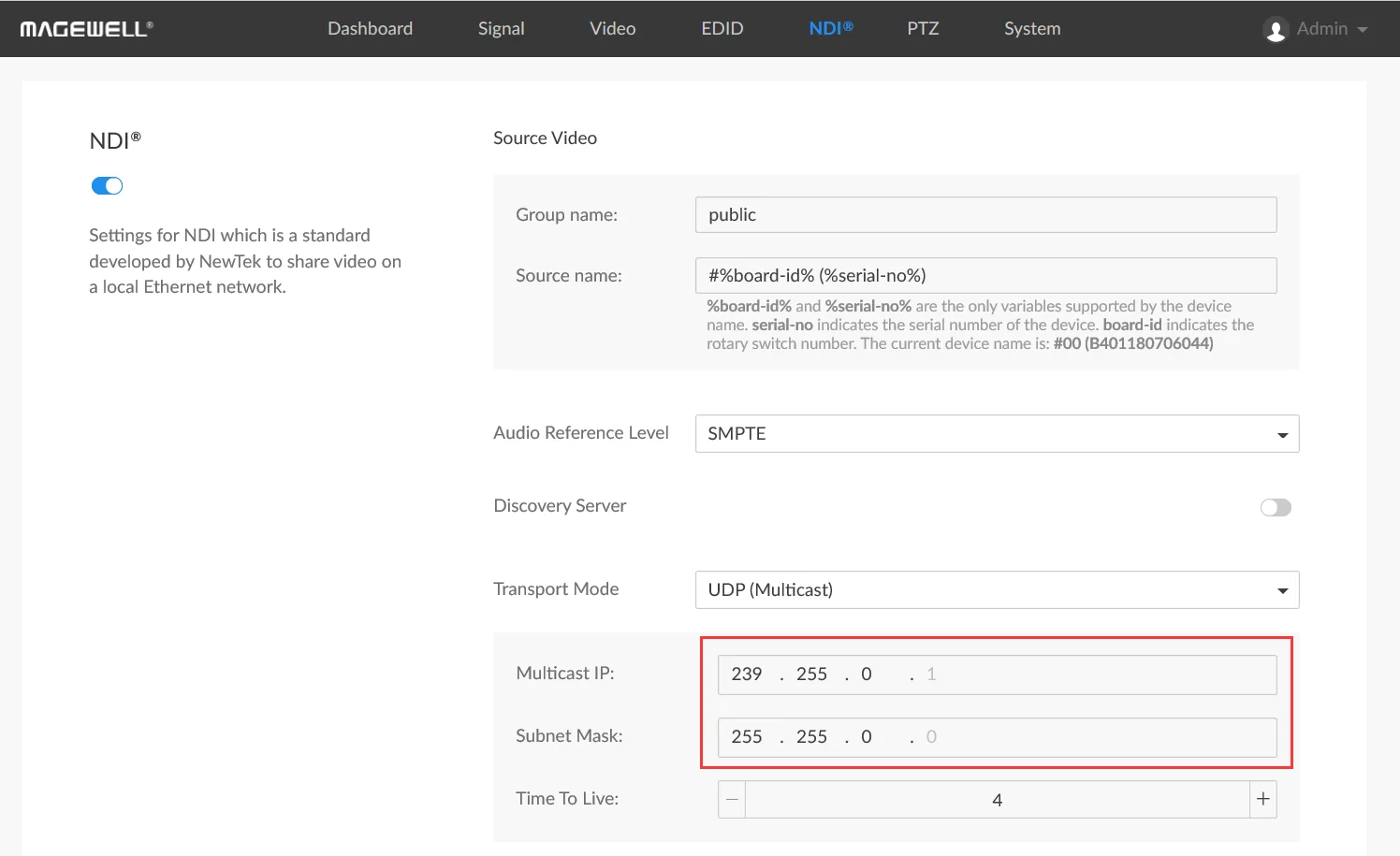
2. Enter the Multicast IP address (239.255.0.1 in the example below). It must be in the range 224.0.0.1 to 239.255.255.1, and the last number is fixed at 1. Then enter the Subnet Mask (255.255.0.0 in this example); its last number is fixed at 0.
3. Scroll to the bottom of the page and click "Apply".
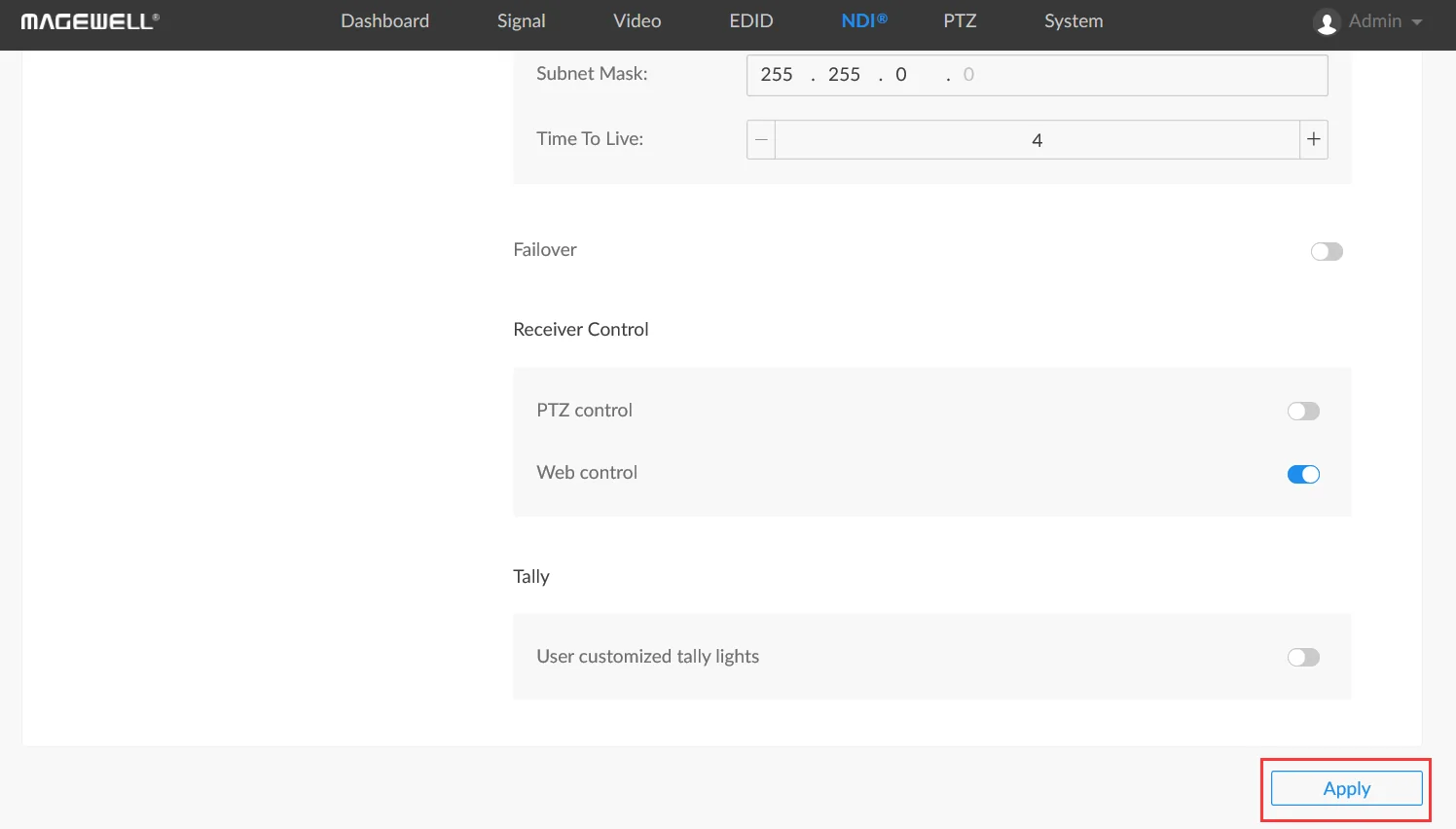
4. Log in to the Web UI of the first Pro Convert decoder and click the "Source" tab. The NDI® (Multicast) stream from the encoder is listed in the "NDI® SOURCES" section. Click “Select” next to it to start decoding.
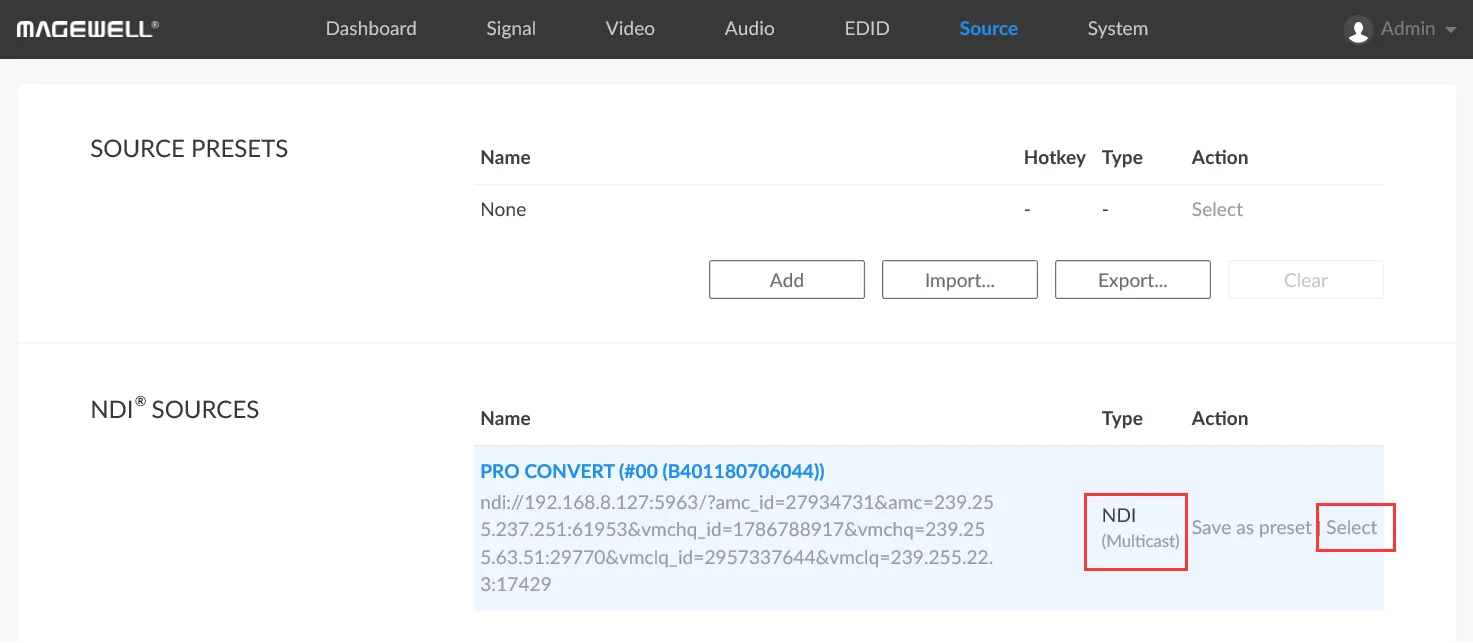
5. Repeat step 4 on the second Pro Convert decoder, and on any further decoders.
6. Return to the encoder's Web UI and open the "Dashboard" tab. In this example the sending bandwidth is 144.79 Mbps. That is the bandwidth of a single 1080p60 NDI® High Bandwidth stream, even though two decoders are showing it.
7. For comparison, set the transport mode to UDP (Unicast), TCP (Uni-Connection) or TCP (Multi-Connection). The encoder then sends the stream to each decoder separately, and the sending bandwidth rises with the number of decoders. In the example below it has roughly doubled, to 288.37 Mbps. Multicast is best kept to a local network that is not connected to an external network.
ForeFront Imaging is the authorised UK distributor for Magewell. We stock the full range and can help you plan an NDI system that fits your network.
Browse Products Talk to UsNo marketing noise. Just new product launches, firmware updates, and the occasional guide.
No spam. Unsubscribe any time. Your email is never shared.
Enjoying your visit? Quick rating of your browsing experience so far:
Anything specific? (optional)