Capture · Record · Stream · Encode · DecodeCapture · Record · Stream · Encode · Decode
NDI is a convenient way to move video around a building, but a great deal of software cannot take a network stream as its picture source. Conferencing applications such as Teams and Zoom, lecture-capture software, and many specialist applications expect a camera connected to the computer. The Pro Convert IP to USB bridges the two: it decodes one stream from the network and hands it to the computer over USB as a camera.
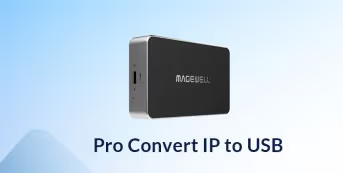
The Pro Convert IP to USB decodes one stream at up to 1080p60 and presents it on its USB 3.0 Type-C port as a UVC video device with two-channel UAC audio. It accepts NDI High Bandwidth, NDI HX2 and NDI HX3, as well as SRT, RTMP, RTSP, RTP, UDP and HTTP streams. To the host software it looks like a USB camera, so it can be chosen in Zoom Rooms, Microsoft Teams, OBS Studio or vMix in the usual way. It works with Windows, Linux and macOS.
A Pro Convert HDMI Plus at a camera position encodes the camera to full NDI on the network. A Pro Convert IP to USB in the conference room or teaching space decodes that NDI stream and presents it to the room PC as a USB camera for Teams or for recording software. The camera can then be anywhere the network reaches, with no long HDMI or USB cable run. Wherever a system expects a USB camera but the source arrives over IP, this device fills the gap.
Every encode and decode stage adds some delay, and the amount depends on the stream format, the network and the software on the computer. Full NDI is the lower-delay choice on a local network. Compressed formats such as NDI HX, SRT and RTMP use less bandwidth but usually add more delay. For interactive uses such as remote teaching, test the complete chain with your own source and software before you commit to a design.
The unit has its own Gigabit Ethernet port for the incoming stream. Use a Gigabit switch, because a full NDI stream needs far more bandwidth than a compressed one. If you run NDI in multicast mode, use a managed switch with IGMP snooping enabled, and keep heavy video traffic separate from voice traffic where you can. Power comes from the USB Type-C connection to the computer, at about 3.8 W, not from PoE, so an ordinary network port is all it needs and there is no power supply to fit. USB-C to USB-C and USB-C to USB-A cables are included.
No marketing noise. Just new product launches, firmware updates, and the occasional guide.
No spam. Unsubscribe any time. Your email is never shared.
Enjoying your visit? Quick rating of your browsing experience so far:
Anything specific? (optional)