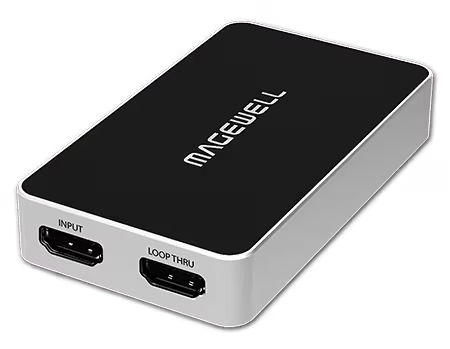
HDMI is for cameras, computers, game consoles, AV equipment, and anything with an HDMI output. SDI is for professional broadcast cameras, routing switchers, and broadcast infrastructure. If you have both, the AIO handles HDMI, SDI, DVI, VGA, and Component from one device.
The Gen 2 and standard Plus range captures up to 1080p60. If your source outputs 4K, you need the 4K Plus or 4K Pro models for USB, or the Pro Capture 4K variants for PCIe.
Loop-through passes the same signal to a local monitor while capturing. Gen 2 models have no loop-through. Plus models do. If your source has only one HDMI output and you want to see it on a display while capturing, buy Plus.
USB Capture devices are portable and driver-free. Pro Capture PCIe cards install inside a desktop or server and provide lower latency and higher reliability for permanent installations. For multi-channel capture, PCIe is more practical.
Portable, single HDMI, no monitor needed: USB Capture HDMI Gen 2
Portable, single HDMI, with monitor: USB Capture HDMI Plus
Portable, 4K HDMI, with monitor: USB Capture HDMI 4K Plus
Best available USB HDMI: USB Capture HDMI 4K Pro
Multiple inputs, any type: USB Capture AIO
Permanent installation, single HDMI: Pro Capture HDMI
Four HDMI channels permanently: Pro Capture Quad HDMI
No marketing noise. Just new product launches, firmware updates, and the occasional guide.
No spam. Unsubscribe any time. Your email is never shared.
USB Capture cards are portable bus-powered dongles that work without a driver on most platforms — ideal for laptops and simple single-channel capture. Pro Capture cards are full-height or low-profile PCIe cards for desktop workstations, supporting multiple channels, higher resolutions and lower CPU overhead.
A capture card brings video into a computer for recording, streaming or analysis. A Pro Convert device converts video from one format to another on your network (e.g. HDMI to NDI) without needing a PC. If you need video on your network without a host computer, you need a Pro Convert. If you need video in software on a PC, you need a capture card.
For most users, a USB Capture HDMI or SDI card is the simplest choice — plug in, no driver needed, works immediately in OBS. For higher channel counts or 4K production, a Pro Capture card offers better performance. Use our Product Selector tool to get a tailored recommendation.
USB Capture connects via USB 3.0 — plug-and-play, ideal for laptops and single-channel capture. Pro Capture cards are PCIe cards installed in a desktop or server, offering lower latency, multi-channel capture, and 24/7 rated reliability. For portability choose USB Capture; for fixed workstations or servers, choose Pro Capture.
Choose Pro Convert when you need to work over a network rather than a direct USB connection. Pro Convert encoders convert HDMI or SDI signals to NDI over Ethernet — the source can be anywhere on the network. USB Capture requires the source to be physically connected to the PC.
For a single-camera stream with no PC, the Ultra Encode AIO or Ultra Stream HDMI is the easiest option. For multi-camera production with switching, the Director Mini or Director One is ideal. For existing HDMI switcher and PC setups with OBS, a USB Capture HDMI or Pro Capture HDMI is the most straightforward choice.
Ultra Stream is designed for simple one-click streaming to one or two platforms. Ultra Encode supports 4K, H.265, up to six simultaneous streaming destinations, local recording, scheduled streaming, and overlays. If you need more than basic single-platform streaming, choose Ultra Encode.