Capture · Record · Stream · Encode · DecodeCapture · Record · Stream · Encode · Decode
A dual-PC setup moves the work of encoding the stream off the gaming PC and onto a second computer, linked by a capture device. Encoding a stream in software (x264) is heavy work for the processor. On a gaming PC that is already running a demanding game, that extra load can cause dropped frames and stuttering. With a dedicated streaming PC doing the encoding, the gaming PC is left to run the game.
Gaming PC → HDMI out → capture device on the streaming PC → OBS Studio on the streaming PC → YouTube or Twitch.
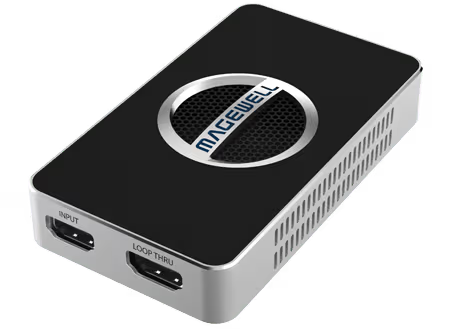
The USB Capture HDMI 4K Plus is a good fit. Plug it into a USB 3.0 port on the streaming PC and connect HDMI from the gaming PC. It needs no driver and appears in OBS Studio as a Video Capture Device source. It accepts up to 4K at 60 fps from the gaming PC and captures 1080p at up to 60 fps or 4K at up to 30 fps, which covers a 1080p60 stream. To capture 4K at 60 fps, choose the USB Capture HDMI 4K Pro, which needs a USB 3.2 Gen 2x2 port.
Game sound travels with the picture. The gaming PC sends its audio embedded in the HDMI signal, and the capture device passes two channels of it to the streaming PC, so no separate audio cable is needed for the game itself. Set the HDMI output as the gaming PC's sound device, then listen on the monitor's audio output or on the capture device's 3.5 mm headphone socket. The USB Capture HDMI Plus and 4K Plus also have a 3.5 mm microphone input, which can bring your voice in with the capture.
Use the HDMI loop-through output on the Plus or 4K Plus to feed your gaming monitor. The gaming PC's output goes into the capture device, the loop-through passes it on to the monitor, and the streaming PC captures it at the same time, with no splitter to buy. The 4K Plus passes up to 4K at 60 fps to the monitor, even while it captures at a lower resolution or frame rate for the stream.
Magewell USB Capture devices do their video processing in the device. Scaling, frame rate conversion, colour format conversion and de-interlacing are carried out by the capture hardware, so the streaming PC receives a picture already in the size and format the stream needs, and its processor is left free for encoding. The devices are driver-free on Windows, macOS, Linux and Chrome OS and take their power from the USB port, which keeps the streaming PC simple to set up and maintain.
No marketing noise. Just new product launches, firmware updates, and the occasional guide.
No spam. Unsubscribe any time. Your email is never shared.
Enjoying your visit? Quick rating of your browsing experience so far:
Anything specific? (optional)