Capture · Record · Stream · Encode · DecodeCapture · Record · Stream · Encode · Decode
A typical lecture theatre has three things to capture: the room camera showing the presenter, the presentation output from a laptop or visualiser, and the audio. Each video source needs its own capture input on the recording PC. For most rooms that means one driver-free USB capture device per source, and this guide explains which one suits each source.
The presentation source is usually HDMI from the lecturer's laptop. The USB Capture HDMI Gen 2 suits this well. It accepts up to 1080p60, installs without a driver on Windows, macOS, Linux and Chrome OS, and is powered from the USB port, which keeps deployment across many rooms simple for IT teams. If the same HDMI signal must also feed the room projector, choose the USB Capture HDMI Plus, which adds an HDMI loop-through output.
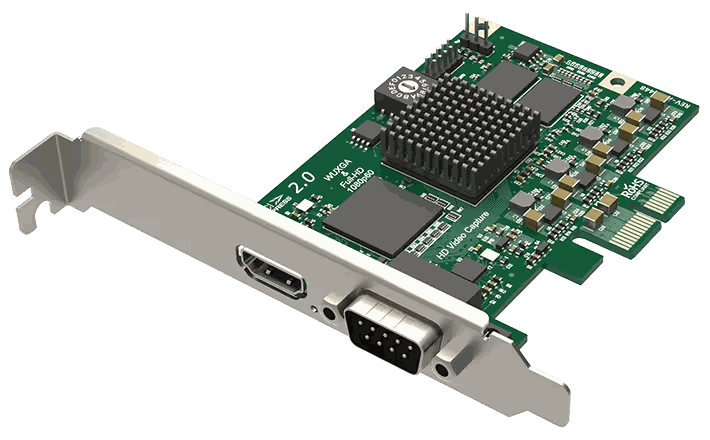
Many PTZ room cameras have an HDMI output, and a second USB Capture HDMI Gen 2 handles that. For SDI cameras in a room with a desktop capture PC, the Pro Capture SDI is a PCIe card with one 3G-SDI input and a loop-through output. It is rated for continuous 24×7 work, which suits a PC that records all day. For several SDI cameras, use one card per camera or a multi-input card such as the Pro Capture Dual SDI.
Visualisers vary in output type. Current models usually have HDMI, and older ones may have VGA or DVI. The USB Capture AIO accepts HDMI, DVI and VGA, as well as SDI, component and composite video, from one device. That makes it a good fit for rooms with older equipment or a mixed fleet of visualisers, because the same device can be kept as a spare for every room.
For hybrid delivery, remote participants need to see the same camera and slides as the recording. Magewell USB Capture devices work with Zoom Rooms and Microsoft Teams, where they are selected as the camera source, and the USB Capture families are certified as Panopto Compatible. Whether one device can feed the recorder and the meeting at the same moment depends on your software, so test it on your room PC, or use a separate capture device for each.
Driver-free installation means there is no driver package to deploy or maintain in each room, and the device takes its power from the USB port. Fitting the same model in every room keeps support simple. A spare can be swapped in for a failed unit without installing anything. For a campus-wide rollout, tell us your room count and sources and we will recommend a standard kit list.
No marketing noise. Just new product launches, firmware updates, and the occasional guide.
No spam. Unsubscribe any time. Your email is never shared.
Enjoying your visit? Quick rating of your browsing experience so far:
Anything specific? (optional)