Capture · Record · Stream · Encode · DecodeCapture · Record · Stream · Encode · Decode
Eco Capture M.2 cards have drivers for Windows and Linux. That covers Windows 10 and 11, Windows Server 2016 to 2025, and Linux on x86, x64 and ARM processors, so the cards suit embedded systems as well as PCs. macOS is not supported, because Magewell does not provide a macOS driver for the Eco Capture range. If you need capture on a Mac, the USB Capture range and the Pro Capture PCIe cards both support macOS.
Eco Capture cards are compatible with the NVIDIA Xavier and TX2 platforms, which lets you bring live video into an embedded AI or machine vision system. The Xavier and TX2 use the same driver. Check that your carrier board has a free M.2 M-key slot with PCIe, and room for the card's cables, before you order.
Eco Capture cards plug into an M.2 M-key slot with PCIe. They do not work in an mSATA or SATA-only slot. Where a computer or laptop has no suitable slot, the cards can be used through a Thunderbolt to M.2 adapter. The macOS restriction still applies there, because the limit is the driver, not the connection.
Video cropping is not currently supported on Eco Capture cards. Scaling and de-interlacing are done on the card on most models, and several add colour format and frame rate conversion, so check the page for your model. Eco Capture cards also lack the on-screen display (OSD) overlay and the low-latency capture mode of the Pro Capture cards. If you need to capture a region of the picture, or need those functions, choose a Pro Capture card, which does cropping on the card.
No marketing noise. Just new product launches, firmware updates, and the occasional guide.
No spam. Unsubscribe any time. Your email is never shared.
Eco Capture M.2 cards need an M.2 M-key slot that carries PCIe, not SATA or mSATA. The cards are the 2280 size, 22 mm × 80 mm. Their host interface is PCIe Gen2 x2, Gen2 x4 or Gen3 x4 depending on the model, so check your motherboard specification for an M-key PCIe slot with enough lanes for the card you choose.
Only if your laptop has a spare M.2 M-key PCIe slot that is not taken by its SSD, with a way to bring the card's input cables out of the case. A Thunderbolt to M.2 adapter is the other route. The laptop must run Windows or Linux. In practice, Eco Capture cards are better suited to mini PCs, embedded systems and compact workstations.
On Linux, Eco Capture cards appear as V4L2 video devices with ALSA audio, so OBS, VLC and other V4L2 software can use them. Install the Magewell Linux driver for the Eco Capture range first. It is a download from Magewell's website. The Magewell Capture SDK also supports Eco Capture cards if you are writing your own software.
Eco Capture M.2 cards support Windows 10 and 11, Windows Server 2016 to 2025, and Linux on x86, x64 and ARM. They do not support macOS. A Magewell driver is required on both Windows and Linux. With it installed, the cards work through DirectShow on Windows and V4L2 on Linux.
Eco Capture M.2 cards use the M.2 M-key connector in the 2280 size and need a slot that carries PCIe. They are not compatible with SATA-only or mSATA slots. Lane count varies by model: the Dual SDI and AIO use PCIe Gen2 x2, and the other models use four lanes. Always check that your host system has an M-key PCIe slot before ordering.
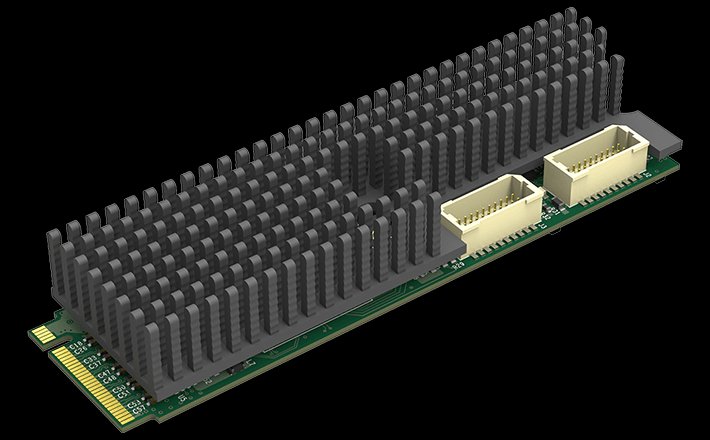
Yes, provided it has a free M.2 M-key PCIe slot that takes a 2280 card. At 22 mm × 80 mm, the card fits compact systems where a PCIe Pro Capture card will not. Allow space for the input cables and for cooling. If you do not use the Magewell heat sink, the case must keep the card's core temperature below 85°C.
Eco Capture M.2 cards come in one, two and four-input versions. The Eco Capture Dual HDMI M.2 and Eco Capture Dual SDI M.2 have two inputs, and the Eco Capture Quad SDI M.2 has four SDI inputs, each up to 2048×1080, on a single card. The single-input models include 4K versions for HDMI and SDI. Check the specific model for its inputs.
Enjoying your visit? Quick rating of your browsing experience so far:
Anything specific? (optional)