Capture · Record · Stream · Encode · DecodeCapture · Record · Stream · Encode · Decode
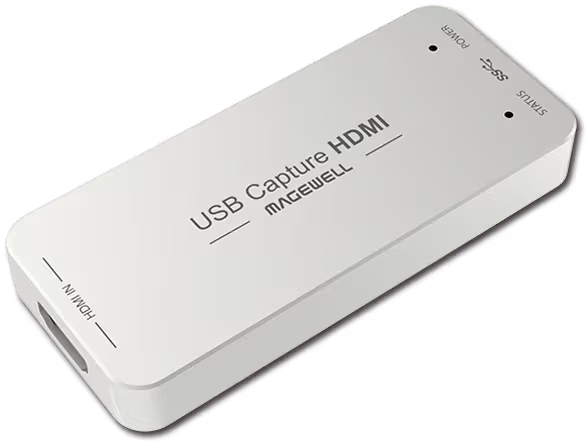
Magewell USB Capture devices need no driver installation on Windows 11. Connect the device to a USB 3.0 port with the supplied cable, connect your HDMI or SDI source, and Windows makes it available as a video and audio source to software such as OBS Studio, Microsoft Teams and Zoom Rooms. The device takes its power from the USB port, so there is no power supply to connect and nothing to download before you start.
To check it, open your capture or conferencing software and choose the Magewell device from the camera or video source list. The LED on the device pulses slowly while there is no valid input and stays on once it has locked to the source. If the device shows in Device Manager without a warning symbol and the LED is on, it is working and no further action is needed.
Magewell's free USB Capture Utility gives you settings that ordinary capture software does not: editing and importing the EDID the device presents to the source, cropping, de-interlacing, aspect ratio and colour adjustments, audio volume, a custom device name and a custom no-signal image. It also checks for and installs firmware updates and exports a report for technical support. It is a utility, not a driver, so the device works without it. Download it from magewell.com/downloads, or follow the link on our software page.
Device shows an error in Device Manager: Try a different USB 3.0 port and use the supplied cable. USB 3.0 ports are usually blue inside or marked SS (SuperSpeed). Avoid unpowered hubs, because the device draws its power from the port.
Device not appearing in OBS: Close and reopen OBS after plugging in the device, then add a Video Capture Device source and pick the Magewell device from the list. Make sure no other program is already using it.
Windows 11 compatibility: Current Magewell USB Capture devices list Windows 10, Windows 11 and Windows Server 2016 to 2025 among their recommended operating systems. If a problem appears after a Windows update, use USB Capture Utility to check that the device firmware is up to date.
No marketing noise. Just new product launches, firmware updates, and the occasional guide.
No spam. Unsubscribe any time. Your email is never shared.
There is no Magewell driver to install for USB Capture devices. Plug the device in and Windows makes it available to your capture software. For extra settings such as EDID and firmware updates, install the free USB Capture Utility from Magewell.
A USB Capture device has no driver to install, so there is nothing to restart for: plug it in and use it. If you are fitting a Pro Capture PCIe card instead, follow the installation steps in the user manual for that card.
Try a different USB 3.0 port and the supplied cable, check Device Manager for a warning symbol, and check that the LED on the device is lit. Contact ForeFront Imaging if the problem continues — we provide free pre- and post-sales technical support.
USB Capture devices need no driver. Pro Capture and Eco Capture cards use a Magewell driver. Drivers, firmware and the USB Capture Utility are all on Magewell's download centre at magewell.com/downloads, and our Updates & Firmware page at forefrontimaging.com/updates-firmware links straight to each family's download section (Pro Capture, Eco Capture and USB Capture).
No. Installation is driver-free: the device works as soon as it is plugged in. The optional USB Capture Utility adds EDID editing, image and audio settings and firmware updates, but capture works without it.
For a USB Capture device, try a different USB 3.0 port, use the supplied cable and check Device Manager for a warning symbol. For a PCIe card, shut the computer down, check the card is fully seated in its slot and follow the installation steps in its user manual. If the problem continues, contact us with the model and what Device Manager shows.
Current Magewell USB Capture and Pro Capture devices list Windows 10, Windows 11 and Windows Server 2016, 2019, 2022 and 2025, in both x86 and x64 editions. They also support Linux and macOS. Check the product page for the model you are using.
Enjoying your visit? Quick rating of your browsing experience so far:
Anything specific? (optional)