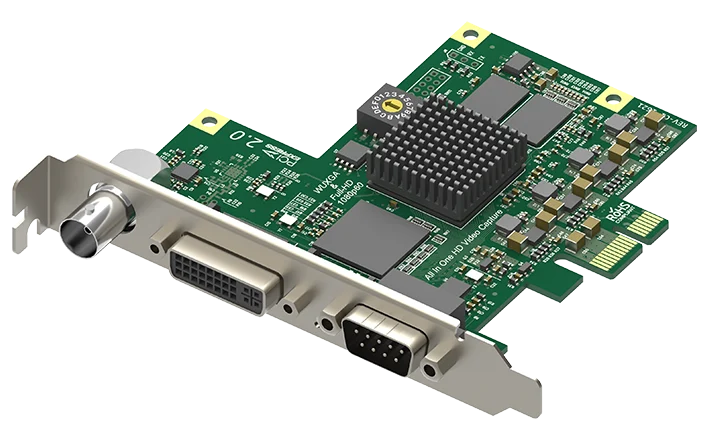
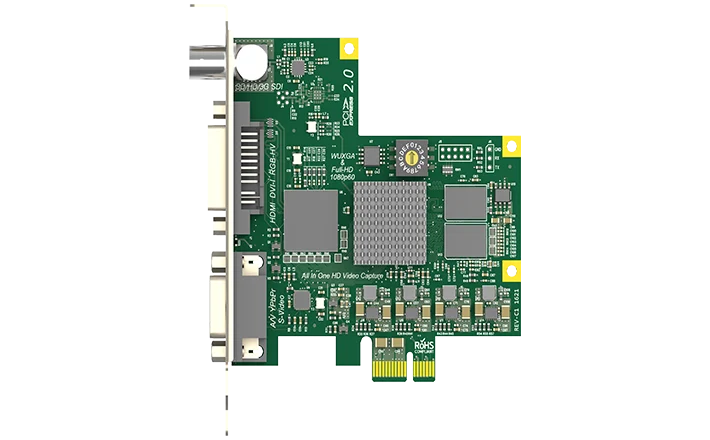
Magewell Pro Capture AIO
Capture whatever source turns up, digital or analogue, with one card: SDI, HDMI, DVI, VGA, component, S-Video or composite.
- ✓One channel that takes any one of SDI, HDMI, DVI, VGA, component, S-Video or composite at a time, so you can say yes to almost any source
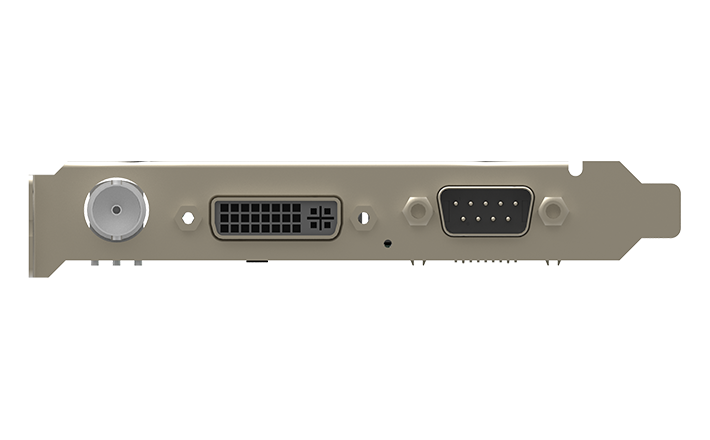
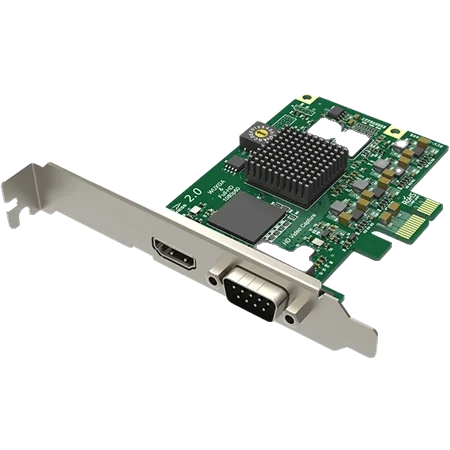
- ✓Three connectors on the card: BNC (SD / HD / 3G-SDI), DVI-I and DB9
- ✓HDMI connects through the supplied DVI-I breakout cable and VGA through the supplied DVI to VGA adapter, so there are no adapters to hunt for
- ✓PCIe Gen2 x1 host interface on a normal-profile (full-height) card, 92.76 × 96.24 mm, which works in any length of PCI Express slot
- ✓On-card 10-bit scaling, cropping, de-interlacing, colour space and frame rate conversion keeps your processor free for your software
- ✓Windows, Linux (including ARM) and macOS; built for continuous 24×7 work
- ✓Maximum power about 5.03 W, taken from the slot, so there is no extra power lead to connect
Watch the video
Plays from YouTube when you press play. All our videos
Magewell Pro Capture PCIe cards
The Pro Capture range of PCIe cards, section by section: HDMI, SDI, all-in-one, DVI and analogue, from single-channel cards to multi-input 4K models.
Watch on YouTubeAbout this product
When you cannot be sure what the next source will be, the Pro Capture AIO lets you take it anyway. It suits lecture rooms, hire stock, archive work and any desktop computer or server that has to deal with both new and old equipment. AIO stands for all-in-one: a single PCIe capture card that accepts almost any common video connection, digital or analogue, and hands the uncompressed picture and sound to software on that computer. It is a one-channel HD capture card.
One channel, many connectors
The card has several inputs and captures one source at a time. You can choose the input in software, or let the card scan for a live signal when the selected input has none, which saves a trip to the settings when someone swaps the cable. To capture two sources together, use a two-channel card or two cards.
What goes in
- SDI. A BNC input for SD, HD and 3G-SDI, including 2K at 2048×1080, with up to eight embedded audio channels. A cable equaliser allows up to 150 metres of 3G-SDI cable, so the camera can be at the far end of the hall.
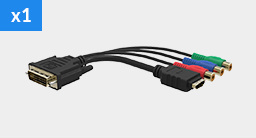
- DVI and HDMI. DVI plugs straight into the card’s DVI-I socket. HDMI (HDMI 1.4a) connects through the supplied DVI-I breakout cable, which has an HDMI connector and component connectors.
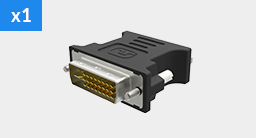
- VGA. Through the supplied DVI to VGA adapter, so older laptops and PCs are covered.
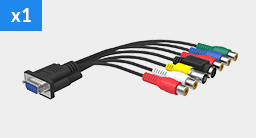
- Analogue video and audio. A DB9 socket takes the second supplied breakout cable, giving component, S-Video and composite inputs (NTSC, PAL and SECAM) plus analogue stereo audio. That keeps your tape decks and older cameras in use.
Resolution and frame rate
The card takes input and capture resolutions up to 2048×2048 pixels, at frame rates up to 144 frames per second depending on resolution, with about 80 frames per second at 1920×1080 as an example. So 1080p at 50 or 60 frames per second is comfortably within range. This is the HD model; for 4K sources see the Pro Capture range page.
Picture work done on the card
Video processing happens on the card, which leaves the computer’s processor free for your software. The card handles cropping, scaling (up or down conversion), de-interlacing, aspect ratio conversion, colour space conversion and frame rate conversion, all with 10-bit processing, so the picture arrives in the size and format your software asked for. A PNG image can be overlaid as an on-screen display. One input can feed an unlimited number of capture streams at once, each with its own resolution, frame rate and colour format, so two programs can use the same source in different sizes.
Fitting it in a computer
- Slot. PCIe Gen2 x1. Any PCI Express slot is at least that size, so you can use whichever slot is free, including a longer x4, x8 or x16 slot.
- Size. A normal-profile card, 92.76 × 96.24 mm without the bracket. It needs a full-height slot, so check your chassis takes full-height cards.
- Power. About 5.03 W at most, taken from the slot.
- Several cards. A rotary switch on each card sets its card number, so several cards can share one computer and you can tell them apart.
Works with the software you already use
- Operating systems. Windows 10, 11 and Server 2016 to 2025, Linux (kernel 2.6.35 and above, including ARM) and macOS.
- Standard interfaces. DirectShow on Windows, V4L2 on Linux and AVCaptureSession on macOS, so it works with OBS, vMix, Wirecast, XSplit and VLC among others.
- Magewell software. Magewell’s Capture Express program is included, so you can capture from day one, and there is a Capture SDK for developers on Windows, Linux and Mac.
Where it sits in the range
Choose the AIO when the source varies. If your source is always HDMI, the Pro Capture HDMI is a low-profile card with an HDMI socket on the card. If it is always SDI, or you need a loop-through output, the Pro Capture SDI is low profile and adds an SDI loop-through. All cards are on the Pro Capture range page.
Related Products
Further Reading
Frequently Asked Questions
It is a one-channel card: it has several inputs and captures one of them at a time. You select the input, or let the card scan for a live signal. For two sources together, use a two-channel card or two cards.
Through the supplied DVI-I to HDMI + component breakout cable, which plugs into the card’s DVI-I socket, so everything you need is in the box. The card itself has BNC, DVI-I and DB9 connectors, and VGA connects through the supplied DVI to VGA adapter.
A full-height PCI Express slot of any length. It has a PCIe Gen2 x1 host interface, so an x1, x4, x8 or x16 slot will take it; that is how PCI Express is designed. It is a normal-profile card, 92.76 × 96.24 mm without the bracket. For a low-profile chassis, see the Pro Capture HDMI or Pro Capture SDI.
The Pro Capture SDI, the single-channel card with an SDI loop-through. On the Pro Capture AIO every connector is an input.
The card, a DVI to VGA connector, a DVI-I to HDMI + component breakout cable, and a DB9 breakout cable for S-Video, composite, component and analogue audio. Every input type is covered by what is supplied.
Windows 10, 11 and Server 2016 to 2025, Linux kernel 2.6.35 and above (x86, x64 and ARM) and macOS 10.12 and above. It works with DirectShow, V4L2 and AVCaptureSession software, including OBS, vMix, Wirecast, XSplit and VLC.
Yes. Several cards can share one system. A rotary switch on each card sets its card number (16 positions, 0 to F), and that number appears in the device name in your software, so you always know which card is which.
New products and Magewell updates
No marketing noise. Just new product launches, firmware updates, and the occasional guide.
No spam. Unsubscribe any time. Your email is never shared.
Enjoying your visit? Quick rating of your browsing experience so far:
Anything specific? (optional)