Capture · Record · Stream · Encode · DecodeCapture · Record · Stream · Encode · Decode
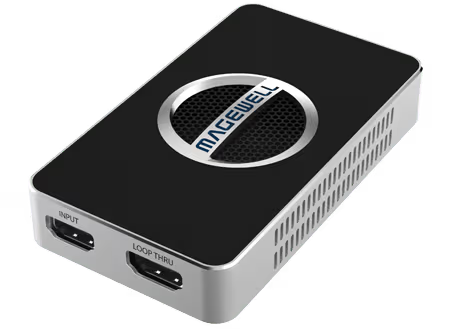
The USB Capture HDMI 4K Plus records 4K at up to 30 frames per second. It accepts 4K at up to 60 frames per second and passes it through to a monitor, but captures 4K at 23.98, 24, 25, 29.97 or 30. For 4K capture at 60, choose the USB Capture HDMI 4K Pro. The 4K Plus works with OBS Studio, XSplit, VLC, QuickTime Player and other software that uses the standard DirectShow, V4L2 or AVCaptureSession interfaces.
The 4K Plus sends uncompressed video over USB 3.0, which signals at 5 Gbit/s. Uncompressed 4K at 60 frames per second needs about 6 Gbit/s even in NV12, the most compact format, and about 12 Gbit/s in RGB: more than USB 3.0 can carry. At 30 frames per second, 4K in NV12 needs about 3 Gbit/s, which fits. The 4K Pro uses a faster connection, USB 3.2 Gen 2x2, at up to 20 Gbit/s.
With the 4K Plus, 60 frames per second is available at 2560×1440, 1920×1080 and 1280×720. So you choose between 4K at up to 30 and 1440p or 1080p at 60. NV12 and I420 need the least USB bandwidth, so select one of those if your software allows it.
Storage depends on the bit rate you choose in your software, not on the capture device. A one-hour H.264 recording at 100 Mbps is 45 GB. Record to a fast SSD, and check there is space for the whole session before a long recording.
No marketing noise. Just new product launches, firmware updates, and the occasional guide.
No spam. Unsubscribe any time. Your email is never shared.
Yes, four models do. The USB Capture HDMI 4K Plus and USB Capture SDI 4K Plus capture 4K at up to 30 frames per second. The USB Capture HDMI 4K Pro and USB Capture SDI 4K Pro take 4K sources at up to 60 frames per second. The Gen 2 models capture up to 1080p at 60. Use our comparison tool to find the right model.
Your computer has to encode and store the video as it arrives. You need a USB 3.0 port for the 4K Plus models, and a USB 3.2 Gen 2x2 port for the full performance of the 4K Pro models. See our guide to PC requirements for 4K capture.
Uncompressed video, in NV12, I420, YUY2, UYVY, RGB24 or RGB32 on the USB Capture HDMI 4K Plus. Your capture software does the encoding, so the recording format, such as H.264 or H.265, is chosen there.
It accepts HDMI at up to 4096×2160 and 60 frames per second and captures up to 4096×2160. It connects over USB 3.2 Gen 2x2, at up to 20 Gbps, so use a computer port that supports that speed. The included Type-C to Type-A cable is rated up to 10 Gbps.
Yes. The USB Capture HDMI 4K Plus and HDMI 4K Pro each have an HDMI loop-through at up to 4096×2160 and 60 frames per second. On the 4K Plus, your monitor shows the full 60 fps picture while the device captures 4K at up to 30.
Yes. macOS is supported, alongside Windows, Linux and Chrome OS, and installation is driver-free. Mac software finds the device through Apple’s AVCaptureSession interface.
It depends on the bit rate you set. As a guide, 50 Mbps is about 375 MB per minute and 100 Mbps is about 750 MB per minute. Record to a fast SSD.
Enjoying your visit? Quick rating of your browsing experience so far:
Anything specific? (optional)