Capture · Record · Stream · Encode · DecodeCapture · Record · Stream · Encode · Decode
NDI (Network Device Interface) is a protocol that carries live video, audio and data over a standard Ethernet network in real time. Sources are discovered automatically by receivers on the same network, so there are no addresses to type in for a basic setup.
Traditional video needs a dedicated cable from every source to every destination. NDI runs over the network you may already have. Put an NDI encoder at a camera, and every production system on the network can receive that camera at the same time, with no extra cable runs.
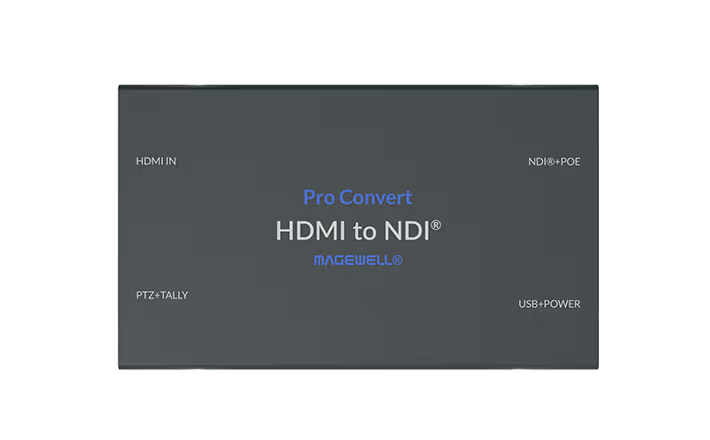
The simplest NDI setup is one Pro Convert HDMI TX at a camera position and one computer running vMix, or OBS with an NDI plugin, on the same network. The Pro Convert HDMI TX encodes the camera’s HDMI output, up to 2048×1200 at 60 fps, to NDI High Bandwidth. It takes its power from a standard PoE network port, so one network cable does everything. vMix discovers it and you add it as a camera input.
As you add cameras and other NDI sources, the Modator Chassis 2U holds up to ten hot-swappable encoder or decoder modules in 2U of rack space, with dual power supplies, instead of ten separate boxes. To show NDI on a screen, the Pro Convert for NDI to HDMI decodes a stream and outputs HDMI, so you can place an NDI-fed display anywhere on the network without a PC behind it.
No marketing noise. Just new product launches, firmware updates, and the occasional guide.
No spam. Unsubscribe any time. Your email is never shared.
NDI (Network Device Interface) is a protocol, first developed by NewTek and now part of the Vizrt group, that carries live video and audio over a standard IP network with low delay. You need it if you want to move video between production tools on a network instead of over dedicated video cables, for example from a Magewell encoder at a camera to a decoder at a screen elsewhere in the building.
The Pro Convert encoders convert HDMI or SDI to NDI High Bandwidth, and the Pro Convert decoders turn NDI, including NDI HX, back into HDMI or SDI. The Ultra Encode streaming encoders output NDI HX alongside RTMP and SRT. The Director production units also work with NDI. USB Capture and Pro Capture cards do not output NDI themselves, but the computer they feed can send NDI using software such as vMix or OBS with an NDI plugin.
NDI High Bandwidth, often called full NDI, uses light compression for high picture quality and low delay, and needs a gigabit wired network. NDI HX compresses the video much harder, using H.264 or H.265, so each stream needs far less bandwidth. In the Magewell range, Pro Convert encoders output NDI High Bandwidth and Ultra Encode encoders output NDI HX.
NDI carries video, audio and metadata over a standard Ethernet network. Each NDI source announces itself on the local network, and NDI receivers find it automatically using mDNS, so for a basic setup on one network you do not need to type in any addresses.
NDI High Bandwidth gives the highest quality at the lowest delay and needs the most bandwidth, so plan on a wired gigabit network. NDI HX, HX2 and HX3 are compressed with H.264 or H.265 and need much less. HX2 and HX3 are the current versions, and HX3 uses a higher bit rate than HX2. On Magewell hardware, the Ultra Encode HDMI and SDI send HX2, and the Plus models and Ultra Encode AIO send HX2 or HX3.
NDI’s own guidance is that a typical NDI High Bandwidth stream of 1080p at 60 frames per second runs at up to 150 Mbps, and that a gigabit network is essential. Several such streams fit on one gigabit link, but leave headroom for many cameras or for 4K. NDI HX needs much less. As a guide, the Magewell Ultra Encode HDMI encodes at up to 16 Mbps, and the 4K Ultra Encode models at up to 62 Mbps in NDI HX3.
Not automatically. Standard NDI discovery uses mDNS, which does not normally cross from one subnet to another. To use NDI across subnets, run an NDI Discovery Server, or enter the remote devices’ IP addresses in NDI Access Manager on the receiving computer.
Enjoying your visit? Quick rating of your browsing experience so far:
Anything specific? (optional)